
🪙 Binance & Crypto Payment Gateway for Python
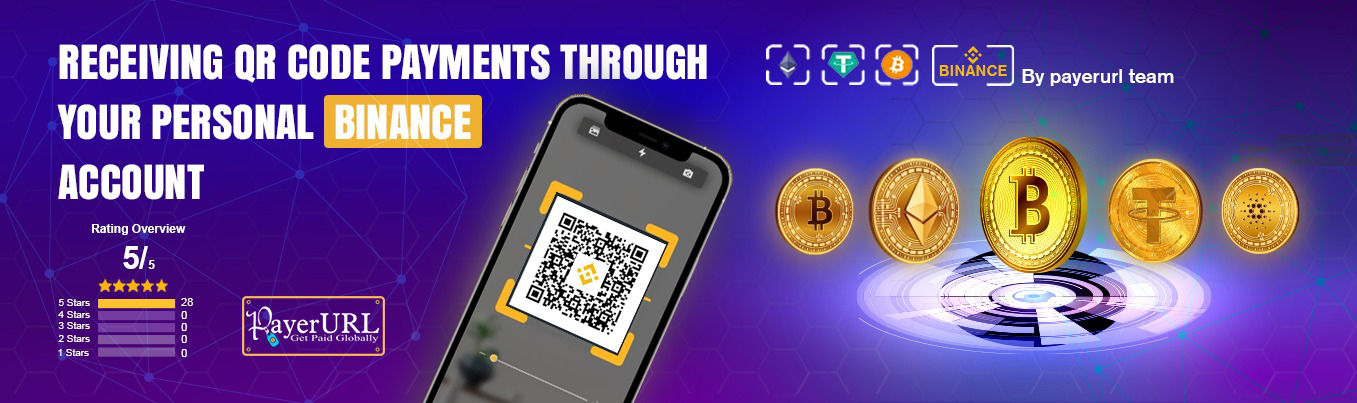
Accept Bitcoin, USDT, USDC, ETH, and BNB payments directly into your wallet — no middleman, no merchant account, no KYC required.
Powered by PayerURL — the direct-to-wallet crypto payment processor for Python developers.
🚀 What Is This Package?
This is a free Python SDK that lets your online store accept cryptocurrency payments directly into your own wallet. Powered by PayerURL, it removes the middleman completely — meaning you get paid instantly with no extra fees and no third party holding your money.
You can accept Binance QR code payments using just a regular Binance account. No need to apply for a special Binance Merchant account. The system automatically converts any local currency like USD, EUR, or GBP into the correct crypto amount using live exchange rates. As soon as a customer pays, the money goes straight to your wallet and your store gets an instant payment confirmation via webhook.
🔴 API INTEGRATION | 🔴 LIVE DEMO | 🔑 Get API Key | 💬 Telegram Support
💳 Accepted Payment Methods
| Method | Networks |
|---|---|
| Binance QR Code | Works with a regular Binance account — no merchant account needed |
| USDT | TRC20 (Tron), ERC20 (Ethereum), BEP20 (BSC) |
| USDC | ERC20 (Ethereum), BEP20 (BSC) |
| Bitcoin (BTC) | Bitcoin Network |
| Ethereum (ETH) | ERC20 |
| BNB | BEP20 (BSC) |
🌍 Why Developers & Shop Owners Choose This Package
| Feature | Detail |
|---|---|
| 🏦 No merchant account needed | Payments go directly to your crypto wallet |
| 🌍 169+ fiat currencies | USD, EUR, GBP, CAD, BDT and more — converted at live rates |
| ⚡ 10-minute integration | Simple API, clear docs, copy-paste code |
| 🔒 No KYC for withdrawals | Basic accounts withdraw without identity verification |
| 📱 Binance QR Code payments | Customers scan and pay without leaving your app |
| 💸 Zero hidden fees | No network surcharges or platform fees |
| 🛠️ Django, Flask & FastAPI ready | Works with any Python web framework |
| 🔒 Secure API | HMAC-SHA256 signature verification on every call |
| ⚡ Instant order updates | Your store status changes automatically after payment |
| 🆓 100% free & open source | MIT licensed — no hidden costs, ever |
| 💬 24/7 Telegram support | Help is always available |
📦 Installation
pip install binance-and-crypto-payment
🔑 Get Your API Key (Free)
- Sign up at dash.payerurl.com
- Go to Dashboard → Get API Credentials
- Copy your Public Key and Secret Key
Registration is free and takes under 2 minutes. No credit card required.
🚀 How It Works
- Collect user and order info on your platform
- Call the
payment()function with the required details - Redirect the user to the PayerURL payment page
- After payment:
- User is redirected to your
redirect_url - Your backend receives a webhook at
notify_urlwith transaction details - On cancellation, user is returned to your
cancel_url
- User is redirected to your
🚀 Quick Start
from binance_and_crypto_payment import CryptoPaymentClient
import time

client = CryptoPaymentClient(
    public_key="YOUR_PUBLIC_KEY",
    secret_key="YOUR_SECRET_KEY"
)

response = client.payment(
    invoice_id=f"PYP-{int(time.time())}",
    amount=10.00,
    currency="USD",
    items=[{"name": "Product", "qty": "1", "price": "10.00"}],
    data={
        "first_name": "John",
        "last_name":  "Doe",
        "email":      "[email protected]",
        "redirect_url": "https://yoursite.com/payment/success",
        "notify_url":   "https://yoursite.com/payment/notify",
        "cancel_url":   "https://yoursite.com/payment/cancel",
    }
)

print(response)
# {'status': True, 'redirect_to': 'https://api-v2.payerurl.com/web-payment-option/PYP...'}

# Redirect the customer to the payment page
payment_url = response["redirect_to"]
Replace
yoursite.comwith your actual domain. All three URLs must be publicly accessible endpoints on your server.
🔗 Django Integration
# views.py
from django.shortcuts import redirect
from django.views import View
from binance_and_crypto_payment import CryptoPaymentClient
import time

class CheckoutView(View):
    def post(self, request):
        client = CryptoPaymentClient(
            public_key="YOUR_PUBLIC_KEY",
            secret_key="YOUR_SECRET_KEY"
        )

        response = client.payment(
            invoice_id=f"PYP-{int(time.time())}",
            amount=float(request.POST.get("amount", 10.00)),
            currency="USD",
            items=[{
                "name":  request.POST.get("product", "Order"),
                "qty":   "1",
                "price": request.POST.get("amount", "10.00"),
            }],
            data={
                "first_name": request.user.first_name,
                "last_name":  request.user.last_name,
                "email":      request.user.email,
                "redirect_url": request.build_absolute_uri("/payment/success/"),
                "notify_url":   request.build_absolute_uri("/payment/notify/"),
                "cancel_url":   request.build_absolute_uri("/payment/cancel/"),
            }
        )

        return redirect(response["redirect_to"])
# urls.py
from django.urls import path
from .views import CheckoutView

urlpatterns = [
    path("checkout/", CheckoutView.as_view(), name="checkout"),
]
🔗 Flask Integration
from flask import Flask, request, redirect
from binance_and_crypto_payment import CryptoPaymentClient
import time

app = Flask(__name__)

client = CryptoPaymentClient(
    public_key="YOUR_PUBLIC_KEY",
    secret_key="YOUR_SECRET_KEY"
)

@app.route("/pay", methods=["POST"])
def pay():
    response = client.payment(
        invoice_id=f"PYP-{int(time.time())}",
        amount=float(request.form["amount"]),
        currency="USD",
        items=[{
            "name":  request.form.get("product", "Order"),
            "qty":   "1",
            "price": request.form["amount"],
        }],
        data={
            "first_name": request.form["first_name"],
            "last_name":  request.form["last_name"],
            "email":      request.form["email"],
            "redirect_url": "https://yoursite.com/payment/success",
            "notify_url":   "https://yoursite.com/payment/notify",
            "cancel_url":   "https://yoursite.com/payment/cancel",
        }
    )
    return redirect(response["redirect_to"])
🔗 FastAPI Integration
from fastapi import FastAPI, Form
from fastapi.responses import RedirectResponse
from binance_and_crypto_payment import CryptoPaymentClient
import time

app = FastAPI()

client = CryptoPaymentClient(
    public_key="YOUR_PUBLIC_KEY",
    secret_key="YOUR_SECRET_KEY"
)

@app.post("/pay")
async def pay(
    amount: float = Form(...),
    first_name: str = Form(...),
    last_name: str = Form(...),
    email: str = Form(...),
):
    response = client.payment(
        invoice_id=f"PYP-{int(time.time())}",
        amount=amount,
        currency="USD",
        items=[{"name": "Order", "qty": "1", "price": str(amount)}],
        data={
            "first_name": first_name,
            "last_name":  last_name,
            "email":      email,
            "redirect_url": "https://yoursite.com/payment/success",
            "notify_url":   "https://yoursite.com/payment/notify",
            "cancel_url":   "https://yoursite.com/payment/cancel",
        }
    )
    return RedirectResponse(url=response["redirect_to"])
🔔 Handling Webhooks (notify_url)
When a payment is completed, PayerURL sends a POST request to your notify_url.
# Django webhook handler — views.py
from django.http import JsonResponse
from django.views.decorators.csrf import csrf_exempt
from django.views.decorators.http import require_POST
from binance_and_crypto_payment import CryptoPaymentNotify, CryptoPaymentException, StatusCode

@csrf_exempt
@require_POST
def payerurl_notify(request):
    notify = CryptoPaymentNotify(
        public_key="YOUR_PUBLIC_KEY",
        secret_key="YOUR_SECRET_KEY"
    )

    try:
        result = notify.process(request)

        if result["type"] == "cancelled":
            return JsonResponse(
                {"status": StatusCode.ORDER_CANCELLED, "message": "Order Cancelled"},
                status=200
            )

        data = result["data"]

        # YOUR BUSINESS LOGIC GOES HERE
        # Example:
        # order = Order.objects.get(invoice_id=data["order_id"])
        # order.status = "paid"
        # order.save()

        return JsonResponse(
            {"status": StatusCode.SUCCESS, "message": "Payment processed successfully"},
            status=200
        )

    except CryptoPaymentException as e:
        return JsonResponse({"status": e.code, "message": e.message}, status=400)

    except Exception:
        return JsonResponse(
            {"status": StatusCode.INTERNAL_ERROR, "message": "Internal error"},
            status=500
        )
# Flask webhook handler
from flask import Flask, request, jsonify

@app.route("/payment/notify", methods=["POST"])
def payment_notify():
    data        = request.form
    order_id    = data.get("order_id")
    status_code = data.get("status_code")

    if str(status_code) == "200":
        # Payment confirmed — update your database here
        return jsonify({"status": 2040, "message": "Order updated"})

    return jsonify({"status": 2050, "message": "Pending"})
Webhook Payload Fields
| Field | Description |
|---|---|
order_id |
Your original invoice ID |
transaction_id |
Blockchain transaction hash |
status_code |
200 = completed, 20000 = cancelled |
confirm_rcv_amnt |
Amount received in fiat |
confirm_rcv_amnt_curr |
Fiat currency (e.g. USD) |
coin_rcv_amnt |
Amount received in crypto |
coin_rcv_amnt_curr |
Crypto symbol (e.g. USDT) |
txn_time |
Transaction timestamp |
📊 Full Payment Flow
Your App  ──►  PayerURL API  ──►  Checkout Page  ──►  Customer Pays
                                                              │
Your Wallet  ◄──  Funds (instant)  ◄──  Blockchain Confirmed ┘
                                                              │
              Your notify_url  ◄──  Webhook (status update) ─┘
🆚 Compared to Other Solutions
| PayerURL (This Package) | Stripe / PayPal | Coinbase Commerce | |
|---|---|---|---|
| No merchant account | ✅ | ❌ | ✅ |
| Direct to your wallet | ✅ | ❌ | Partial |
| No KYC required | ✅ (Basic) | ❌ | ❌ |
| Binance QR support | ✅ | ❌ | ❌ |
| Python SDK | ✅ | ✅ | ✅ |
| Django / Flask / FastAPI | ✅ | ✅ | ❌ |
| 169+ fiat currencies | ✅ | Partial | ❌ |
| Zero platform fees | ✅ | ❌ | ❌ |
| Webhook support | ✅ | ✅ | ✅ |
❓ FAQ
Do I need a Binance account? Yes, to accept Binance QR payments. For USDT/BTC/ETH/USDC, you only need the corresponding wallet address configured in your PayerURL dashboard.
Is there a transaction fee? No platform fees from PayerURL. Standard blockchain network fees may apply depending on the coin and network.
Can I use this without KYC? Yes. Basic accounts can receive and withdraw crypto without mandatory identity verification.
What should my notify_url return? Return a JSON response with {"status": 2040, "message": "Order updated"} on success. PayerURL expects a 200 HTTP status code.
Does this work with Django REST Framework / FastAPI? Yes — it is a pure Python client that works with any Python web framework.
What Python versions are supported? Python 3.8 and above (3.8, 3.9, 3.10, 3.11, 3.12, 3.13).
🌍 Supported Fiat Currencies (169+)
USD, EUR, GBP, CAD, AUD, JPY, SGD, AED, INR, BRL, MXN, NGN, PKR, BDT, and 150+ more.
All fiat amounts are automatically converted to the equivalent crypto amount at live market rates.
🛡️ Security & Privacy
- ✅ Payments go directly to your wallet — PayerURL never holds your funds
- ✅ No mandatory KYC for basic accounts
- ✅ HMAC-SHA256 signature verification on all API calls
- ✅ MIT licensed — fully open source, audit it yourself
- ✅ No personal identity verification required to get started
📬 Support
| Channel | Link |
|---|---|
| 💬 Telegram | t.me/Payerurl |
| 🌐 Website | payerurl.com |
| 📊 Dashboard | dash.payerurl.com |
| 🔴 Live Demo | python.payerurl.com |
📄 License
MIT License — free for personal and commercial use.
🔑 Keywords
crypto bitcoin ethereum binance coinbase usdt usdc bnb tron payment payment-gateway crypto-payment-gateway cryptocurrency-payment bitcoin-payment binance-pay binance-api accept-crypto crypto-checkout django-payment flask-payment fastapi-payment usdt-trc20 usdt-erc20 no-kyc-payment instant-settlement crypto-webhook direct-to-wallet
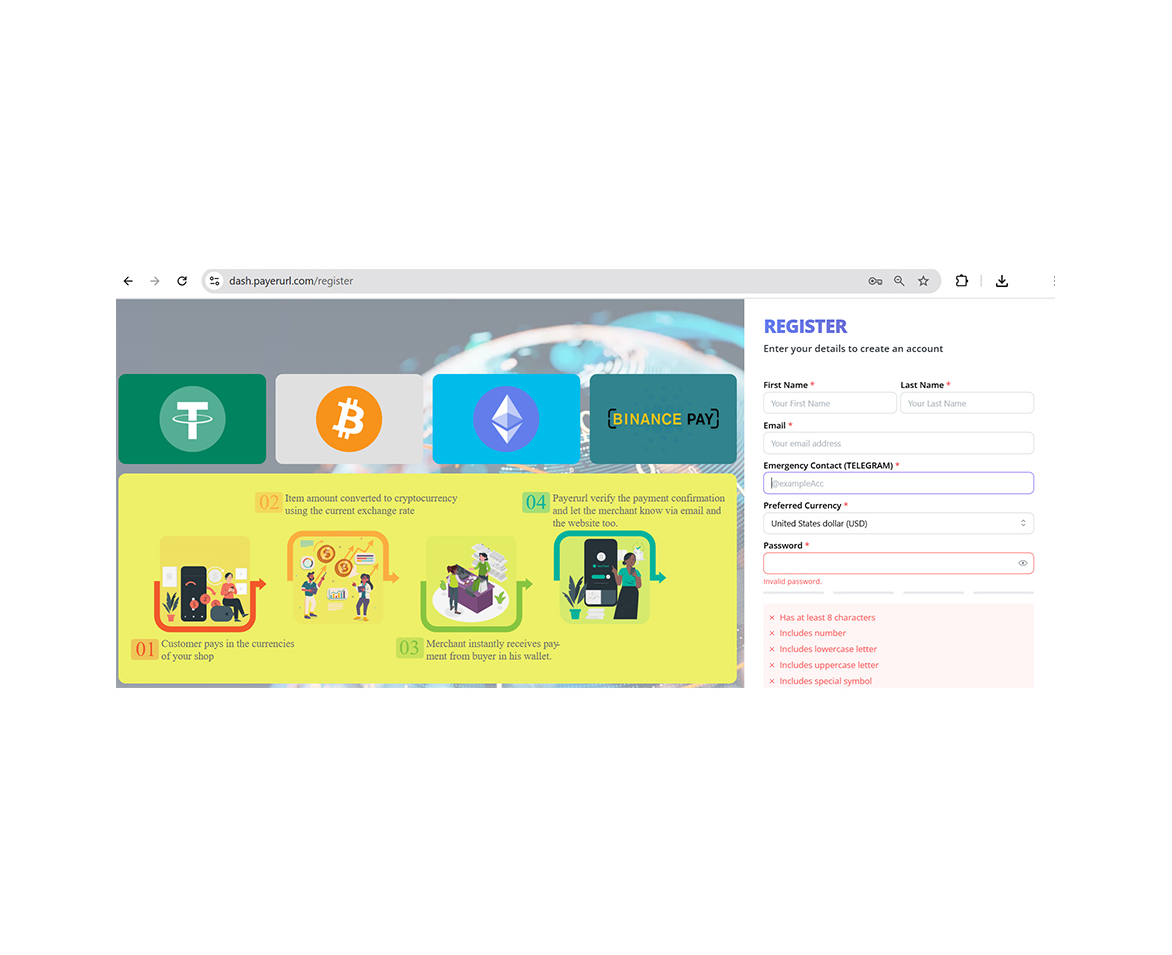
Create account
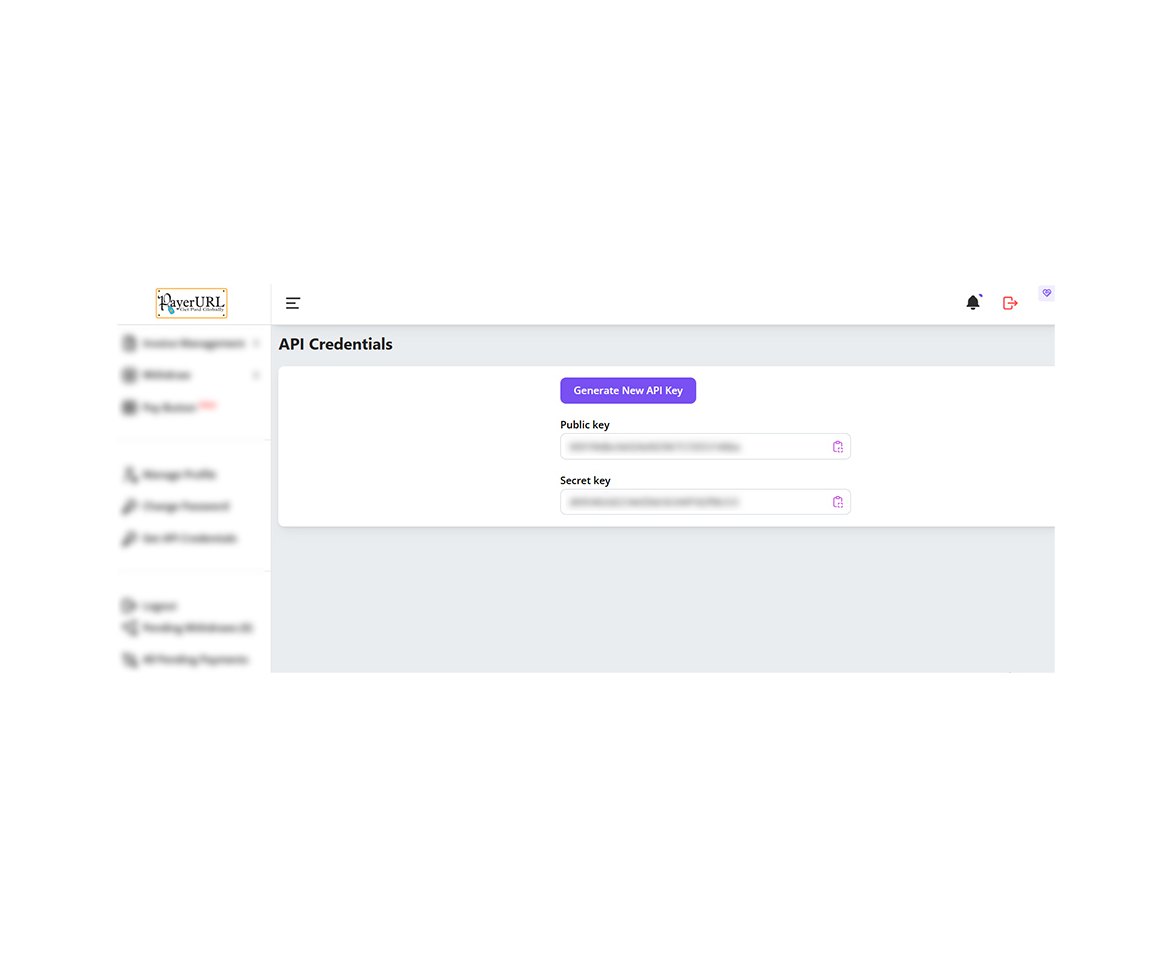
Generate API
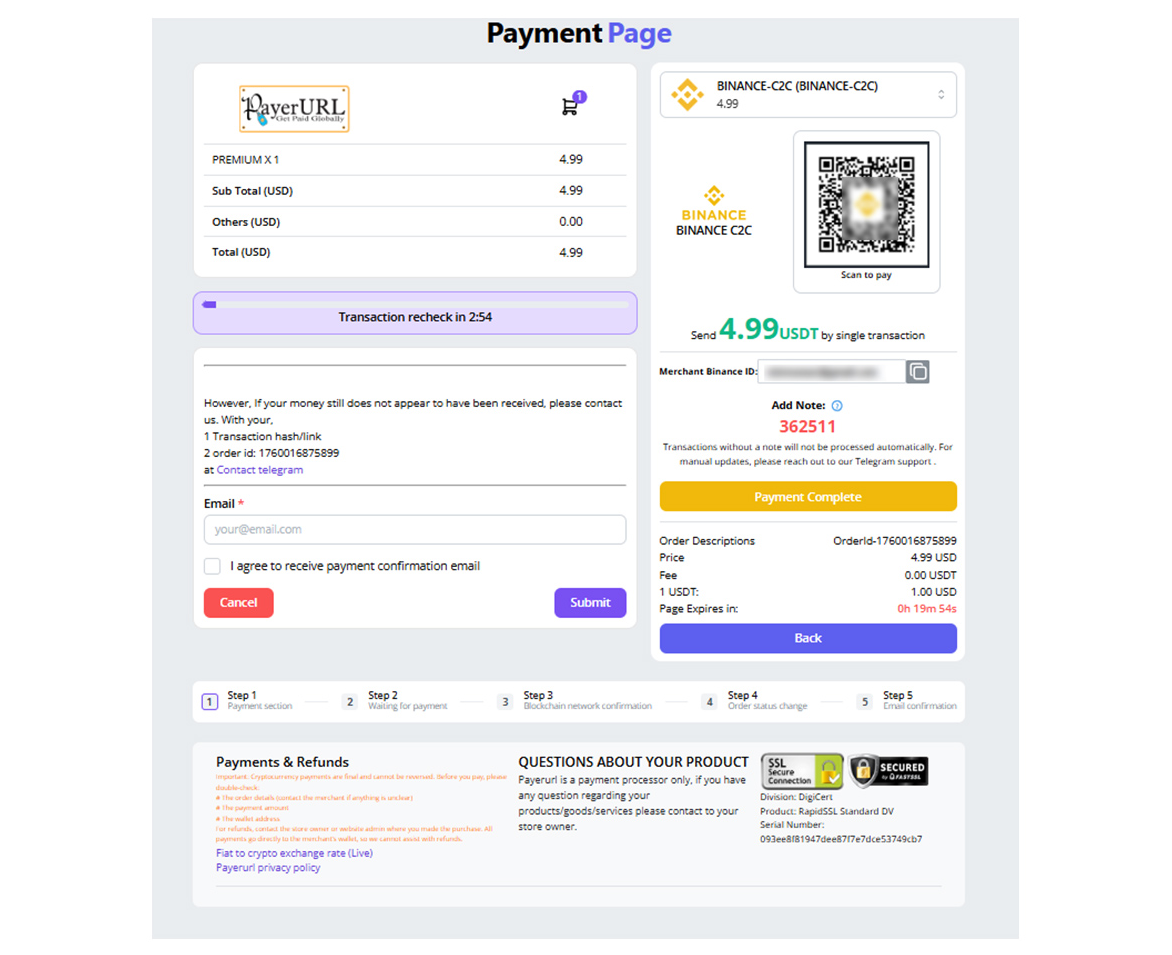
Binance payment page
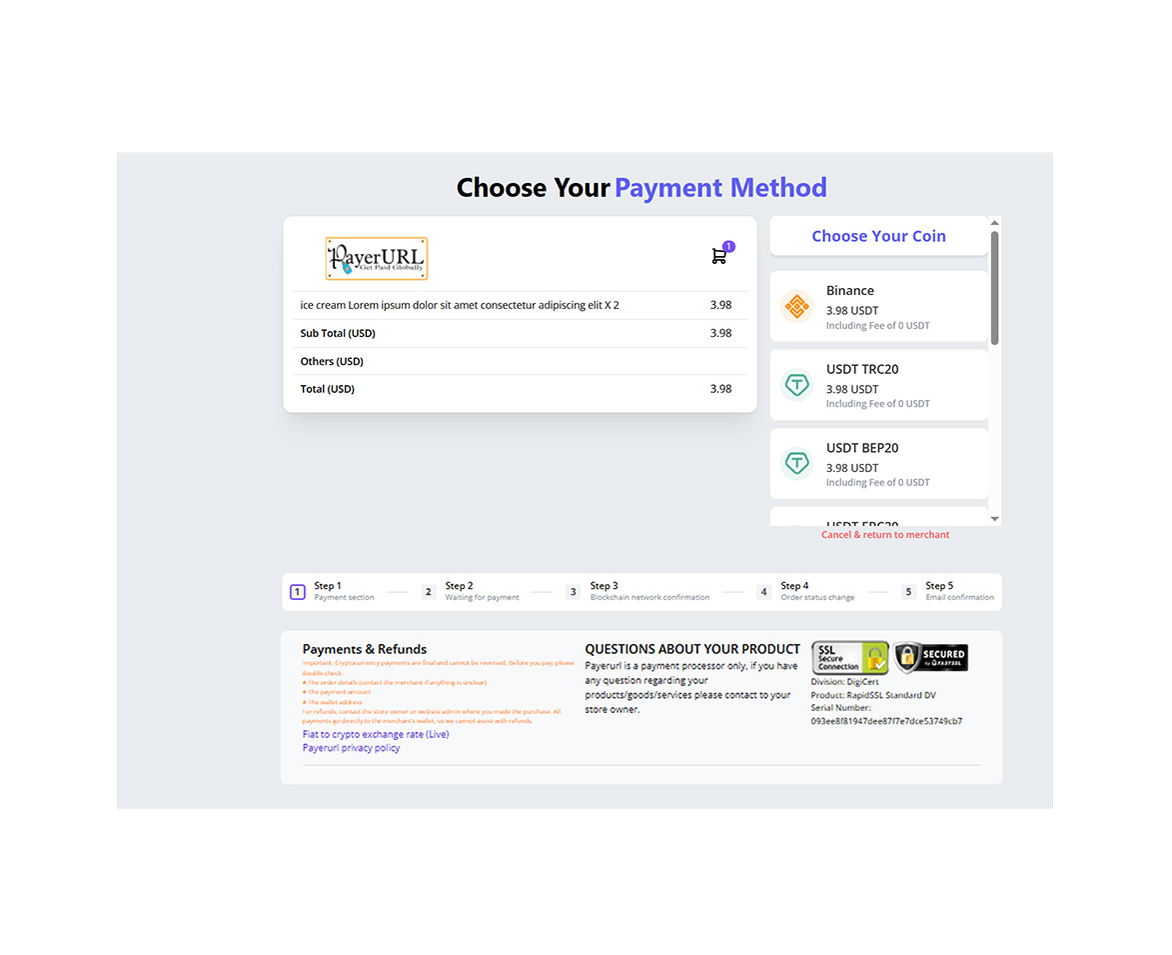
Payment checkout page
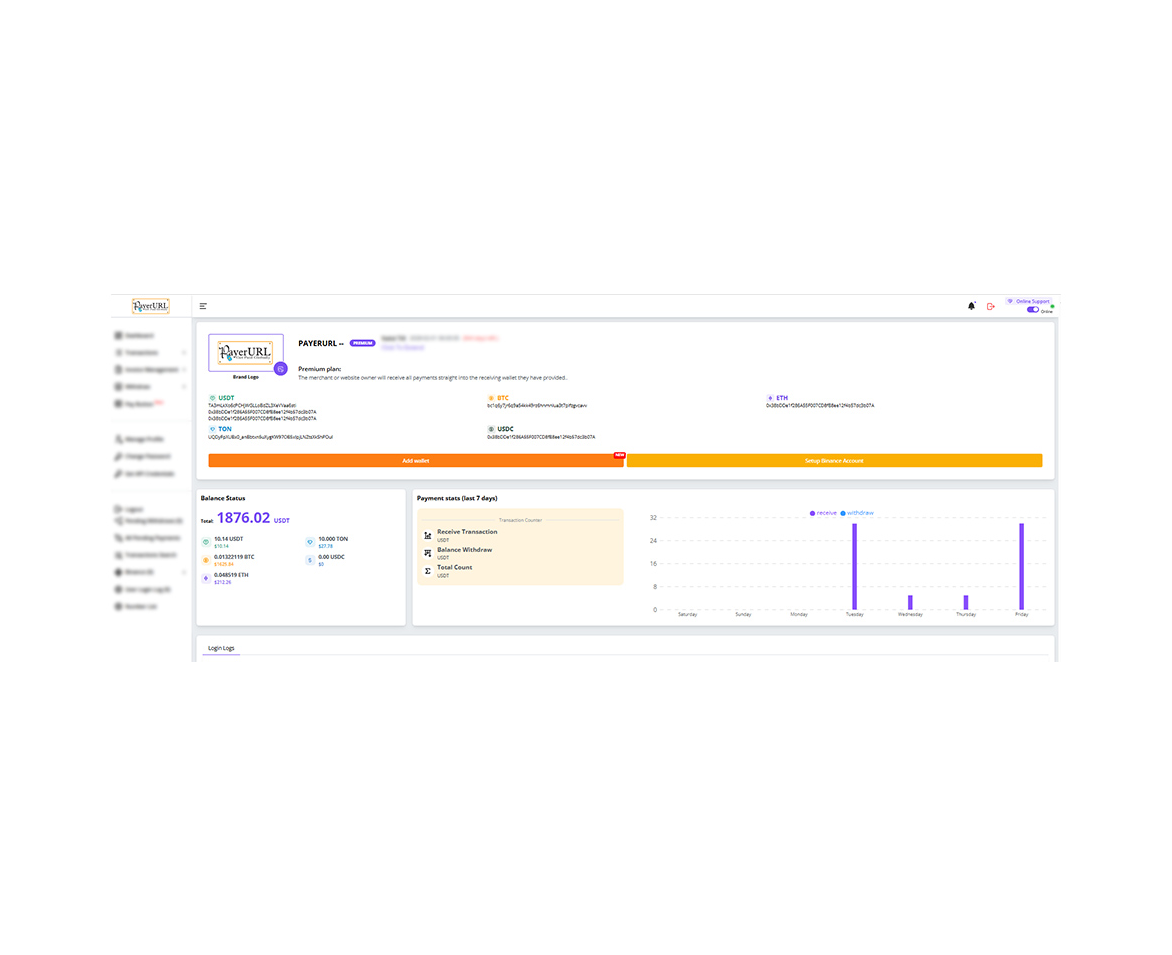
User dashboard
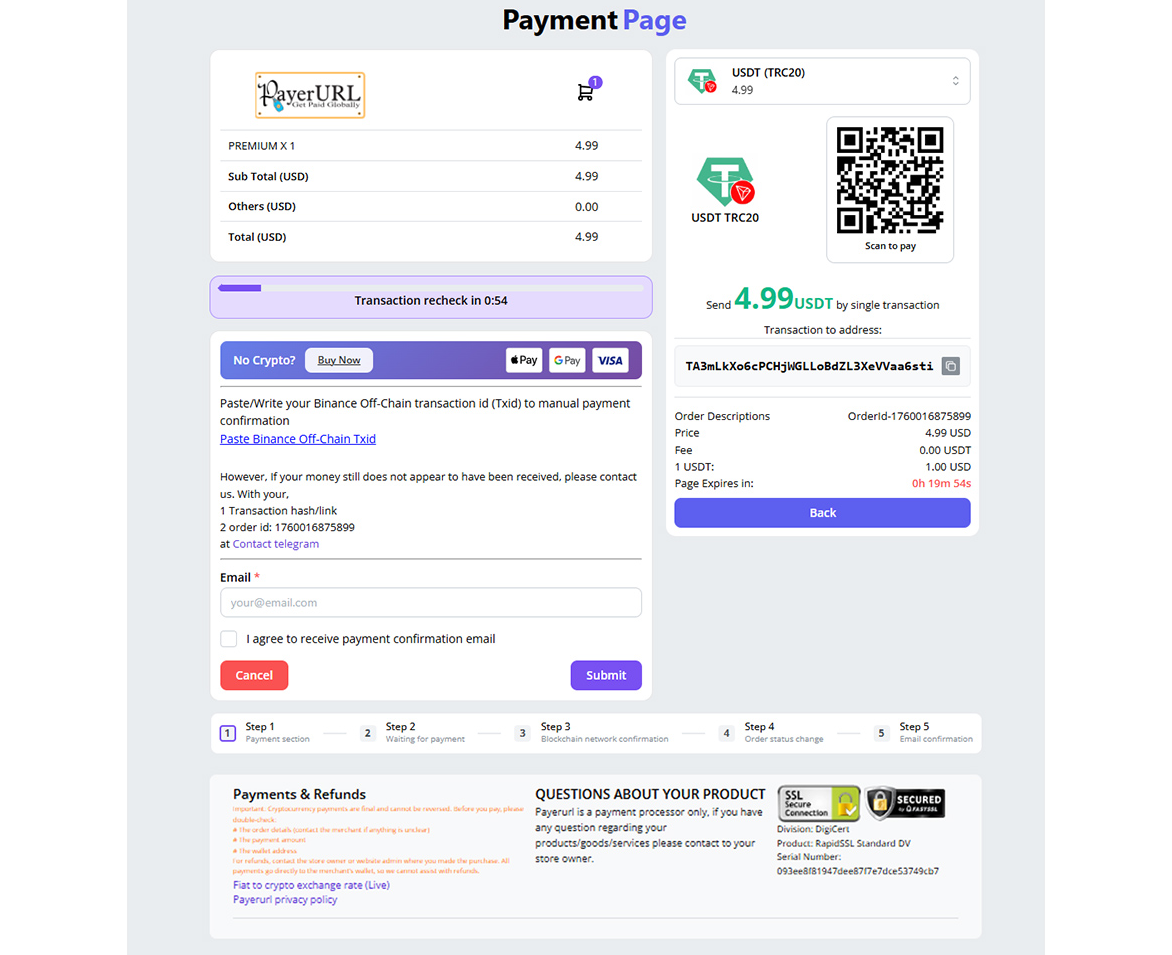
payment page screenshot
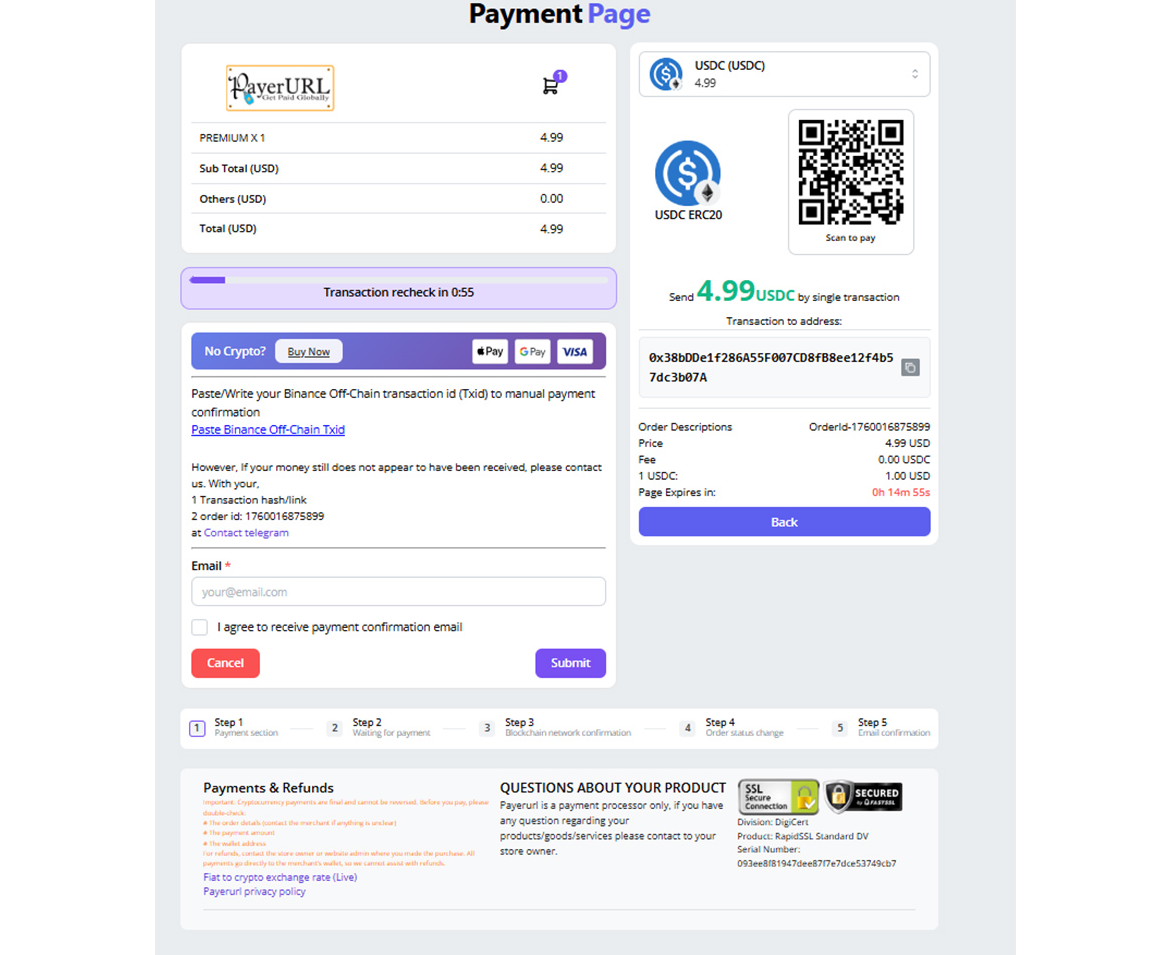
payment page screenshot
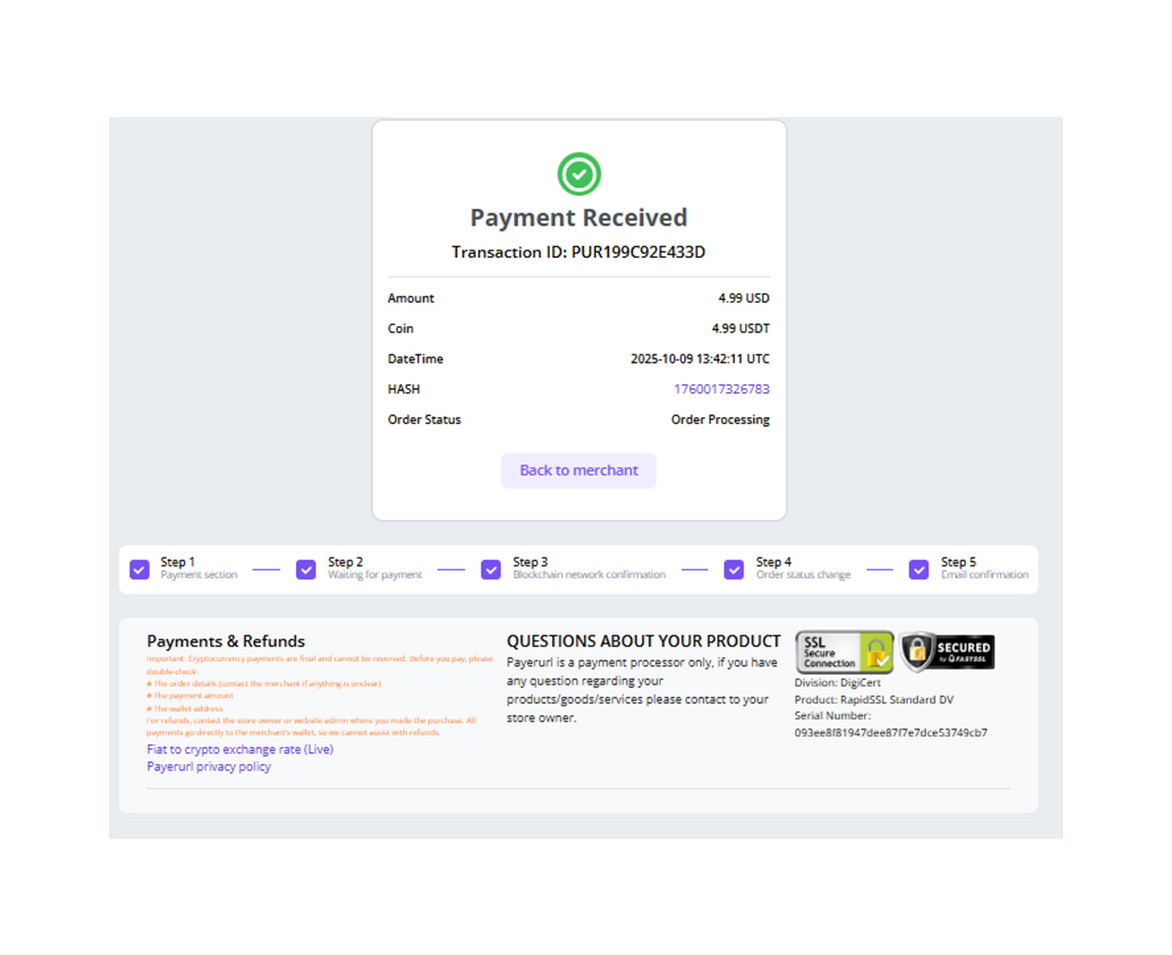
Payment confirmation
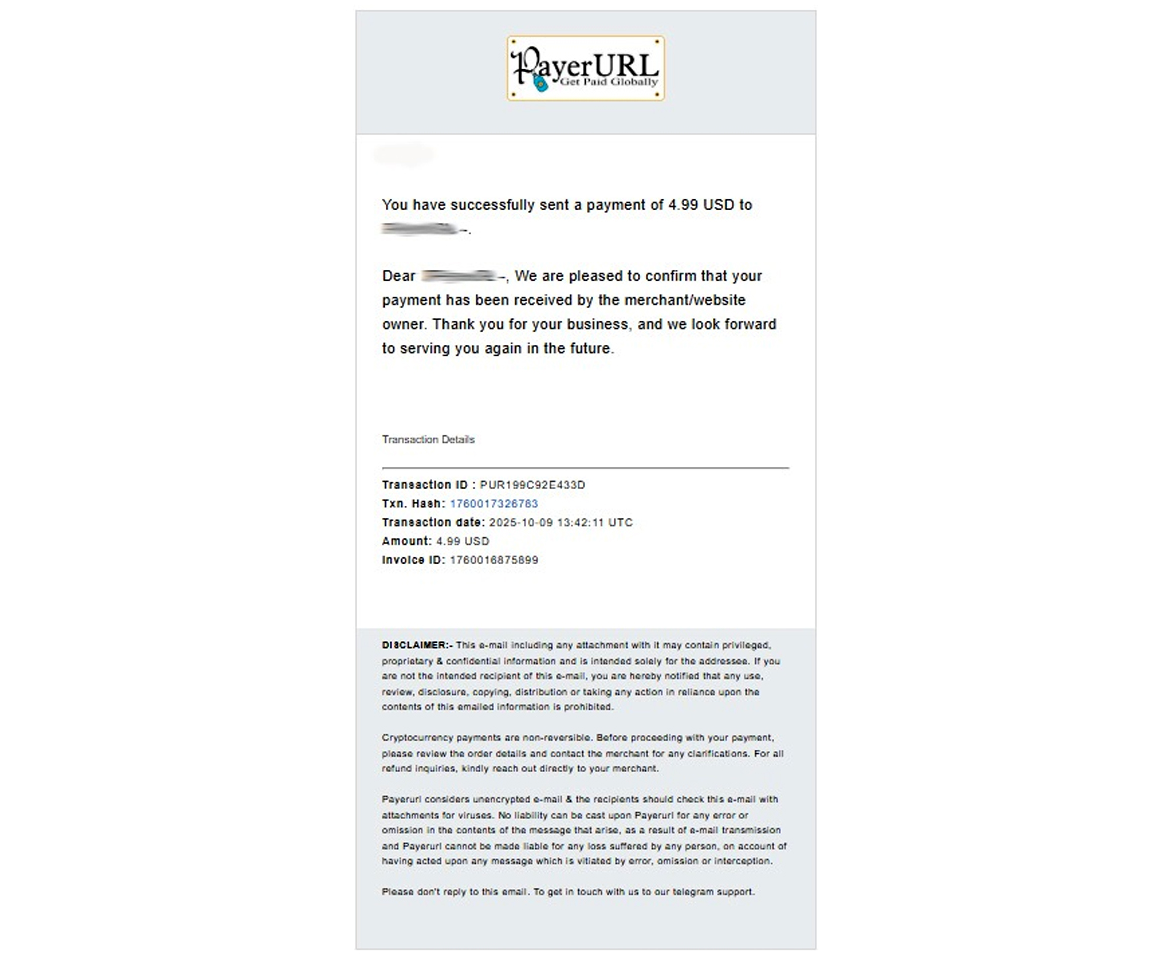
Payment confirmation email