
ABC Crypto Checkout: Direct-to-Wallet Binance QR & Crypto Gateway for wordpress, woocommerce
Accept USDT & Bitcoin on WooCommerce: Fast, No-Middleware Binance Payment Gateway

Introduction
The ABC Crypto Plugin, powered by Payerurl, is a high-performance cryptocurrency payment processor designed for modern merchants. Unlike traditional gateways, ABC Crypto Checkout allows website owners to receive payments direct-to-wallet, eliminating the need for middleware or third-party holding accounts. By supporting Binance QR code payments within WooCommerce and Laravel, we provide a seamless checkout experience where users never have to leave your store to complete a transaction.
Seamless Binance Pay & QR Integration
If you are searching for a reliable Binance payment plugin for WordPress, ABC Crypto is the ultimate solution. This secure, contactless, and borderless gateway allows you to accept Binance Pay via personal account APIs.
How it works: The plugin acts as a technical bridge between Binance and WooCommerce. Customers simply scan a Binance QR code to pay instantly. This method is faster than traditional transfers, incurs zero network fees, and protects your business from common scams by ensuring safe, verified transactions.
Automated Crypto Conversion
The ABC plugin automatically converts 169+ Fiat currencies (including USD, EUR, GBP, and BDT) into crypto using real-time exchange rates. Once the transaction is confirmed, funds are instantly credited to the merchant’s wallet. The system then sends an automated API response to your store to update the order status to “Processing” immediately.
Key Features & Developer Benefits
-
Multi-Chain Support: Accept USDT (TRC20/ERC20), USDC, Bitcoin (BTC), Ethereum (ETH), and TON Coin.
-
No Merchant Account Needed: Start accepting crypto without a formal Binance merchant application or complex corporate verification.
-
No KYC Required: Enjoy a No KYC payment gateway experience for basic accounts, allowing for private and fast withdrawals.
-
Direct-to-Wallet: 100% decentralized feel—money goes straight to your personal crypto address.
-
Universal Integration: Expertly tested with WooCommerce 6.9.1+ and ready for Laravel, PHP, Python, Node.js, and OpenCart.
-
24/7 Support: Access technical assistance for your API integration anytime via Telegram.
Why this works for your business:
Since you are marketing a “10-minute integration” and target users who want to avoid the “Merchant Account” hassle, this description uses “No KYC” and “Direct-to-Wallet” as power words. These are exactly what developers and small business owners in the crypto space search for on Google.
By including your support for Python, PHP, Laravel and Node.js, you also capture the technical audience you mentioned in your earlier business updates.
Easy Integration and Setup of Abc Crypto Checkout Plugin Installation Process video:
Easy Integration and Setup of ABC Crypto Checkout (Installation Process Guide)
Installation Process:
- Install the Plugin:
- Log in to your WordPress admin panel.
- Go to the Plugins menu and search for “ABC Crypto Checkout.”
- Click Install and then Activate.
- Create a Payerurl Account:
- Visit the Payerurl Dashboard.
- Click on Sign Up and fill in your details to create an account.
- Get API Credentials:
- In the Payerurl Dashboard, click on Get API Credentials.
- Select Generate New API Keys to get your unique API public and secret keys.
- Configure WooCommerce Settings:
- Go to your WordPress admin panel.
- Navigate to WooCommerce » Settings » Payments.
- Enable the ABC Plugin.
- Paste your API public and secret keys, then click Test Credentials. You should see a notification “both API key and secret key found”
- Add Your Wallet:
- In the Payerurl Dashboard, go to Add Wallet.
- Enter your receiving wallet address if you want the premium subscription plan.
- Set Up Binance Payments (Optional):
- If you want to accept Binance QR payments, set up your Binance API.
How It Works:
- Customer Order:
- A customer places an order on your website and chooses the ABC Crypto Checkout payment option.
- Payment Process:
- The customer selects their preferred payment network and coin.
- A QR code appears on their screen, containing the payment invoice and details.
- Completing the Payment:
- The customer scans the QR code or copies the address to make the payment.
- Payerurl.com approves the transaction after blockchain confirmation.
- Confirmation:
- The customer sees a confirmation screen with a receipt, including a unique transaction ID.
- A note about the payment will be added to the order details page on your website.
- Notifications:
- Both the merchant and customer receive email notifications with payment details.
- The crypto amount is deposited to the merchant’s account (for basic users) or directly to the merchant’s wallet.
- Customer Order:
- If you want to accept Binance QR payments, set up your Binance API.
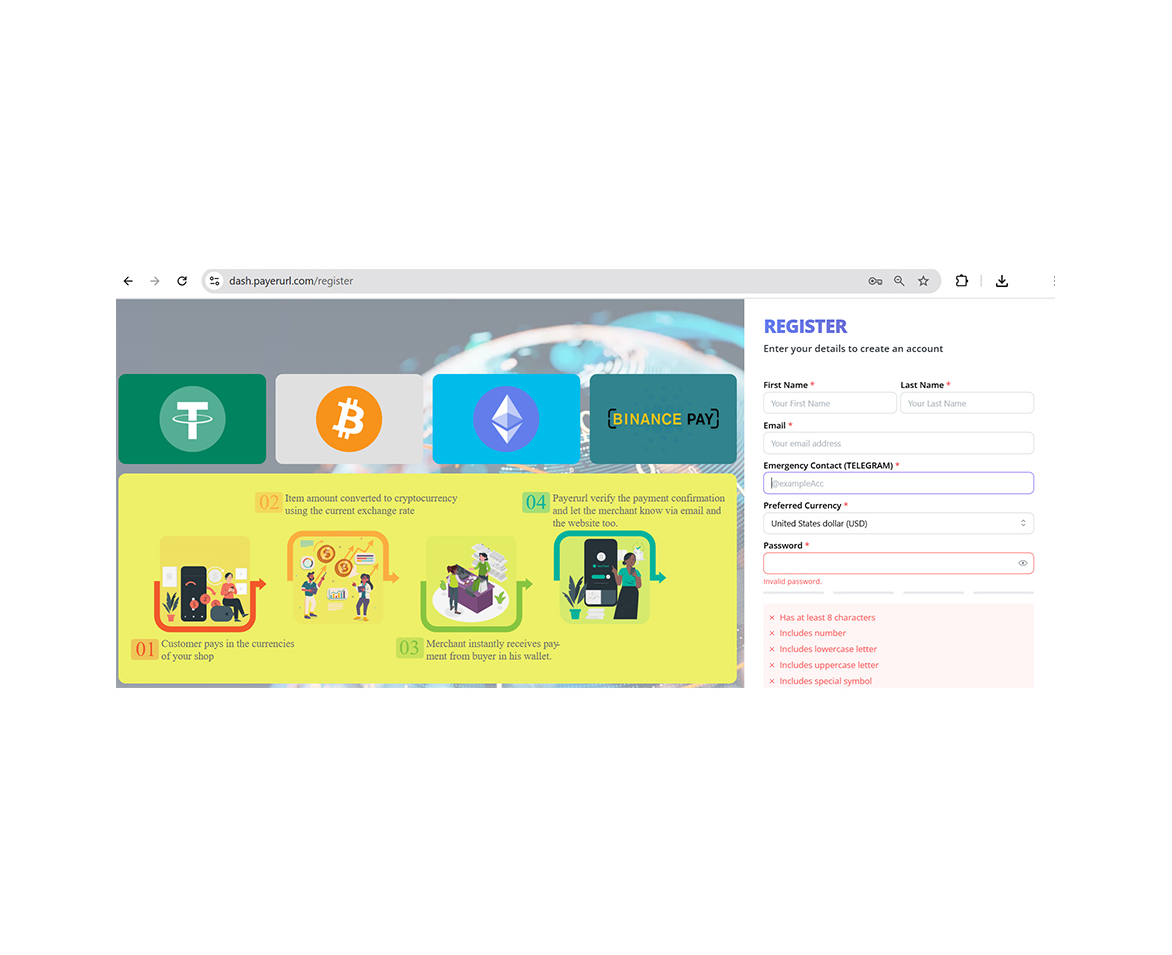
Create account
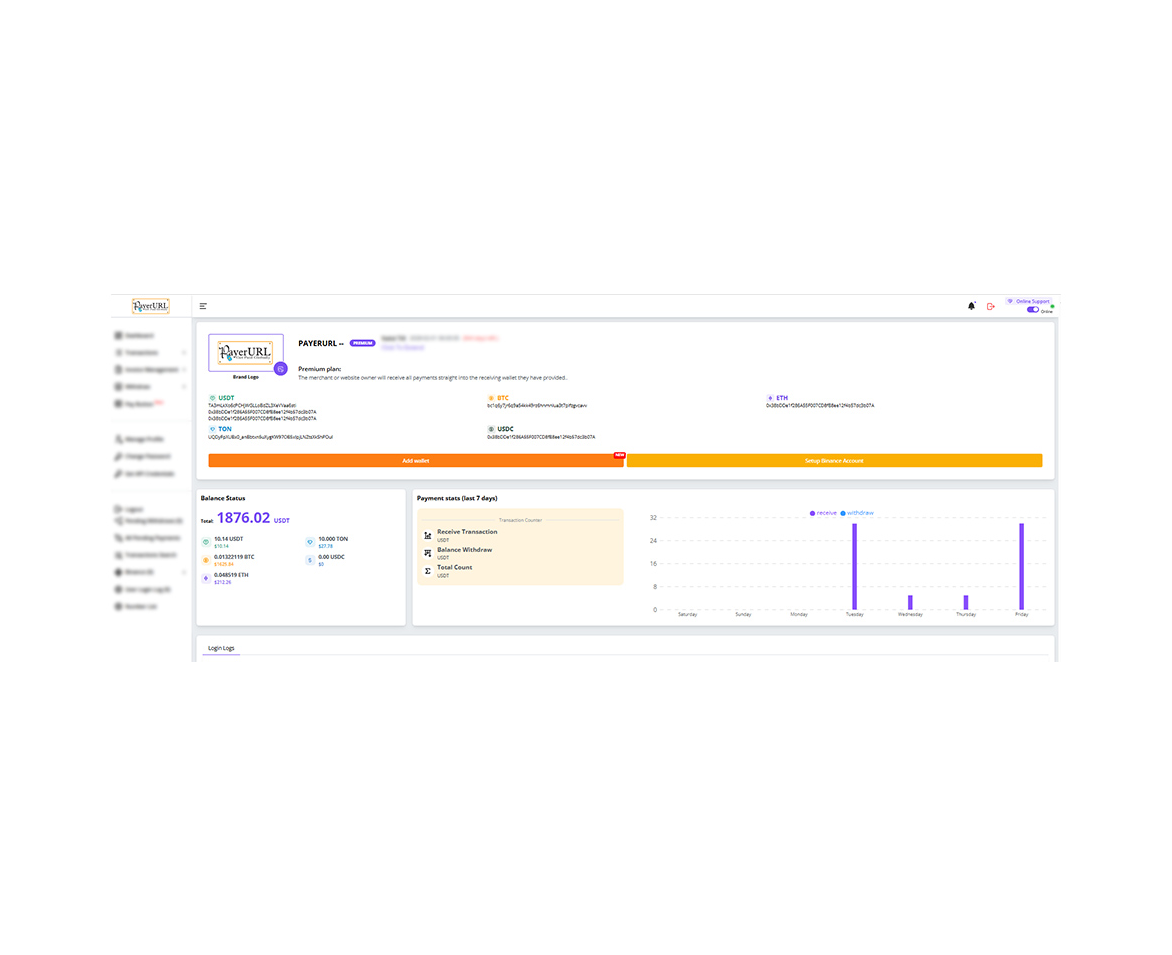
User dashboard
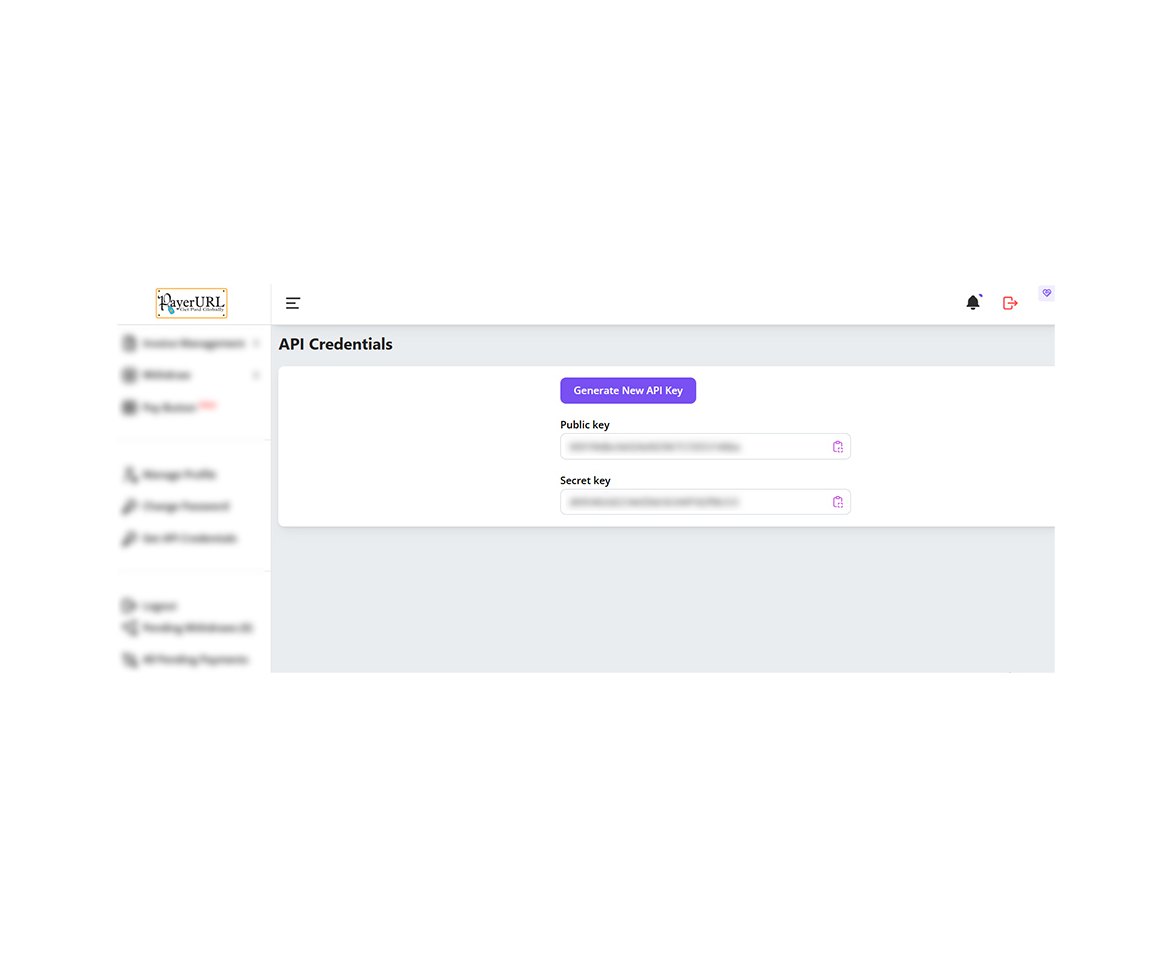
Generate API
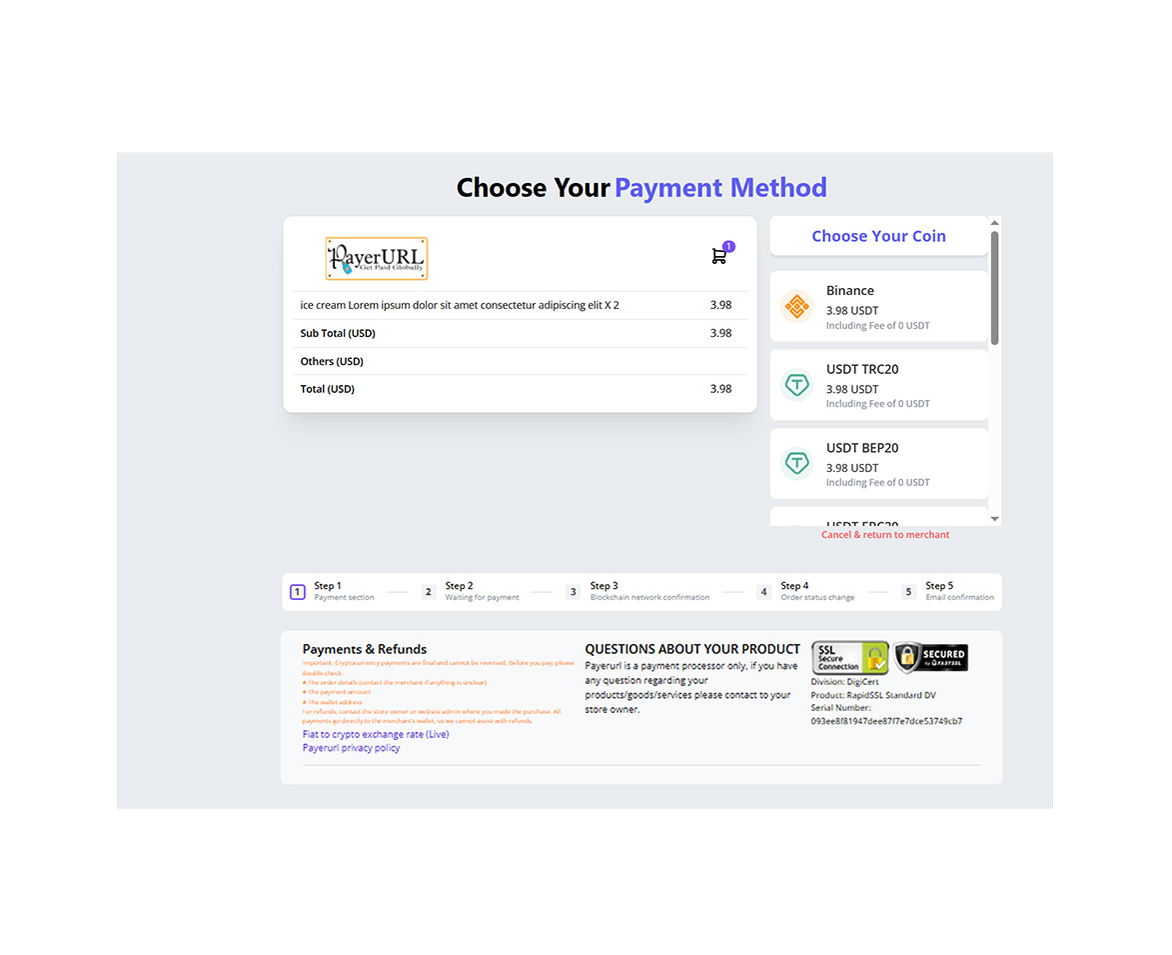
Payment checkout page
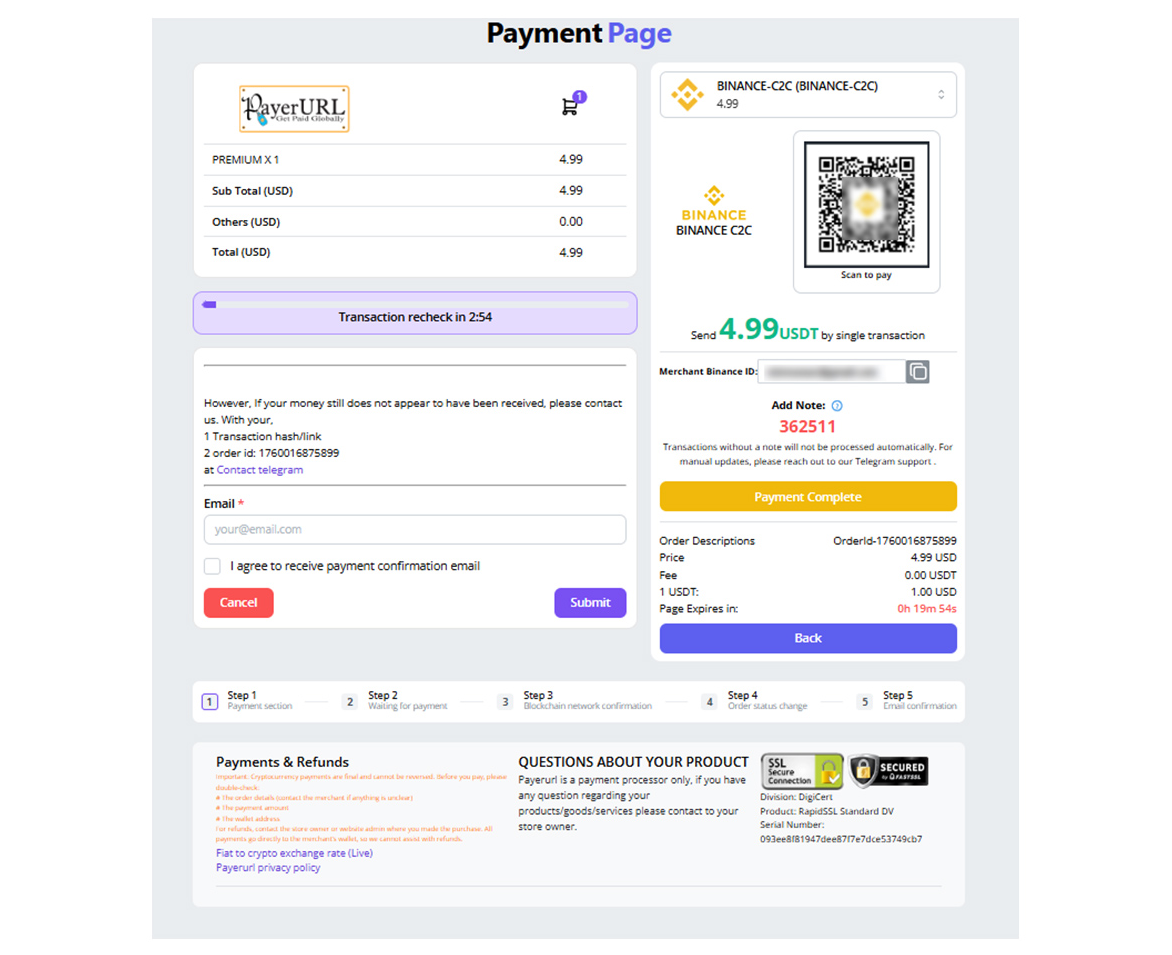
Binance payment page
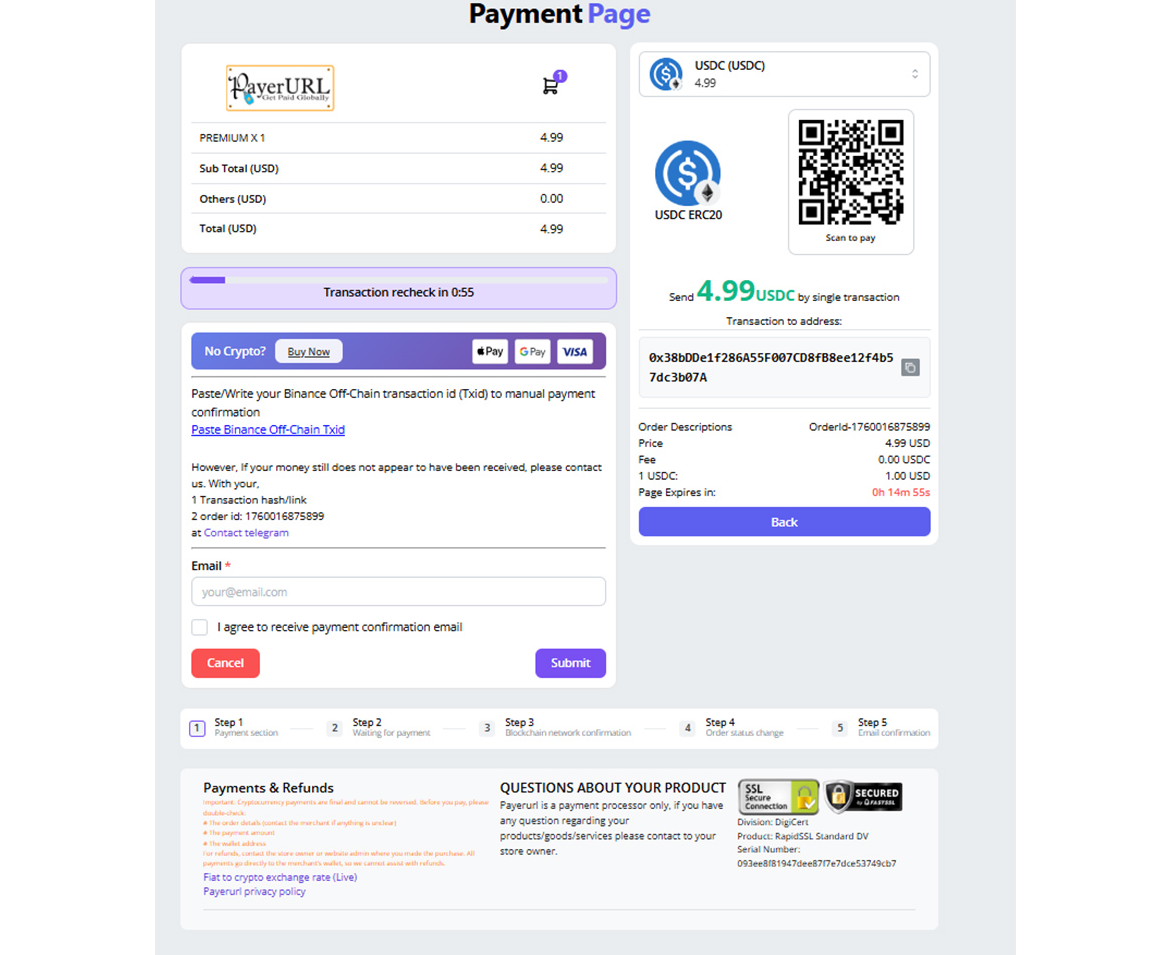
payment page screenshot
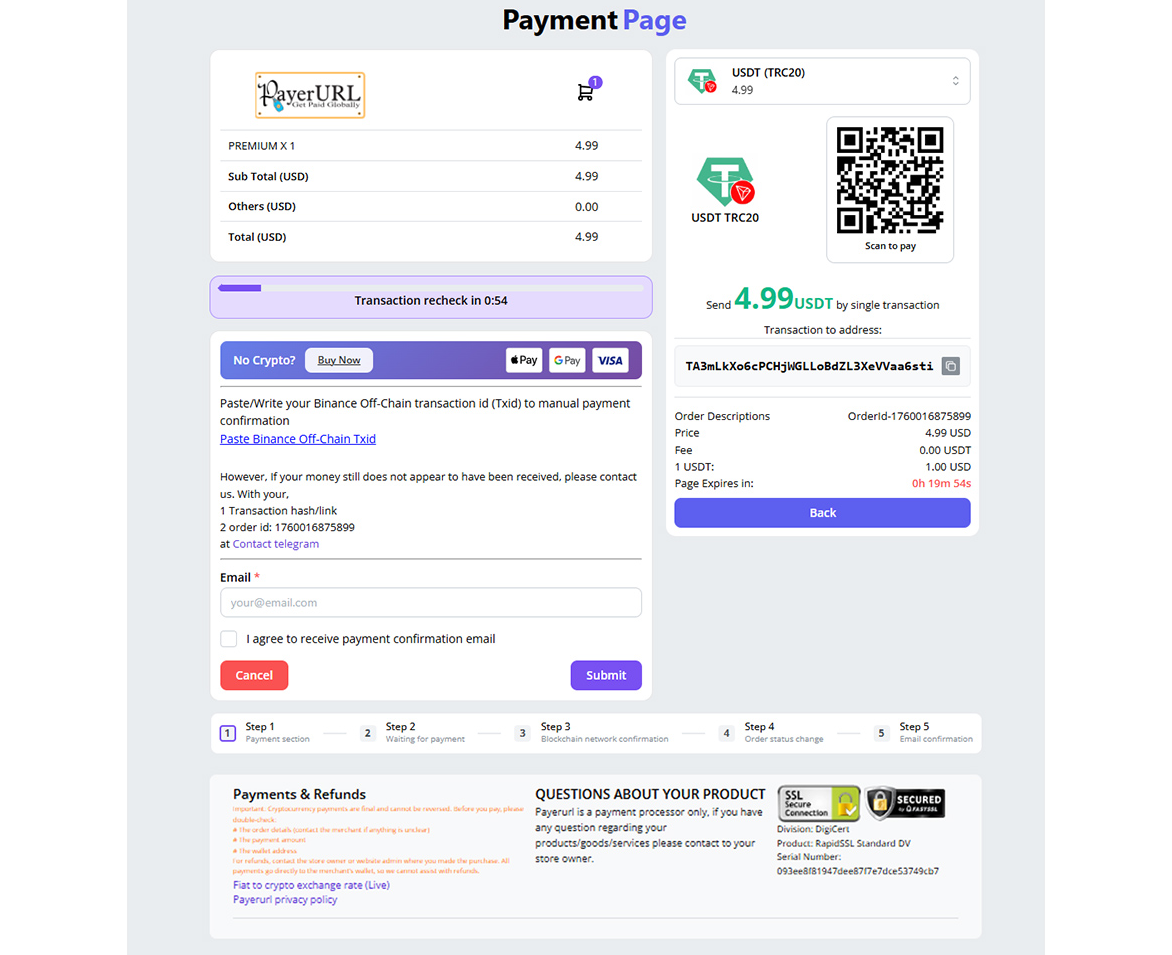
payment page screenshot
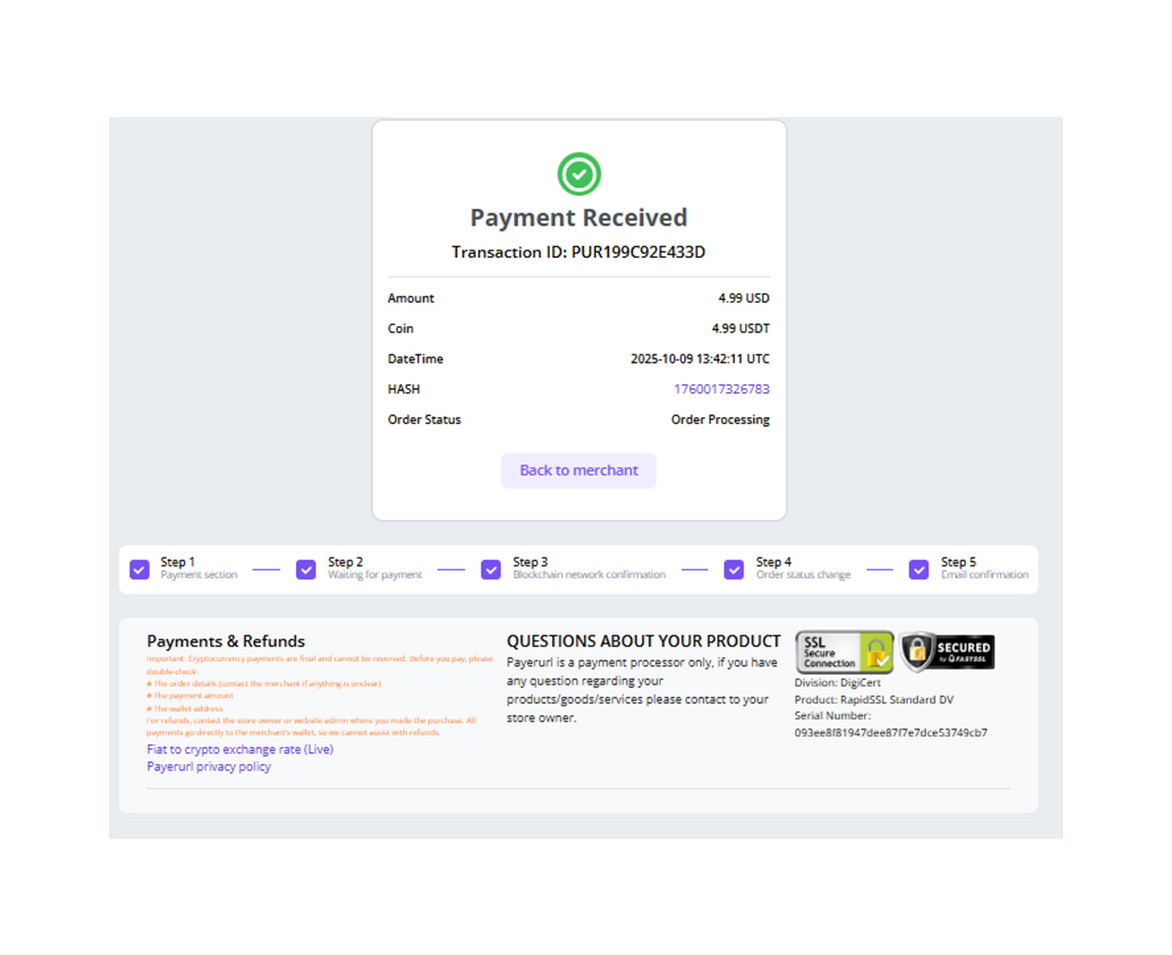
Payment confirmation
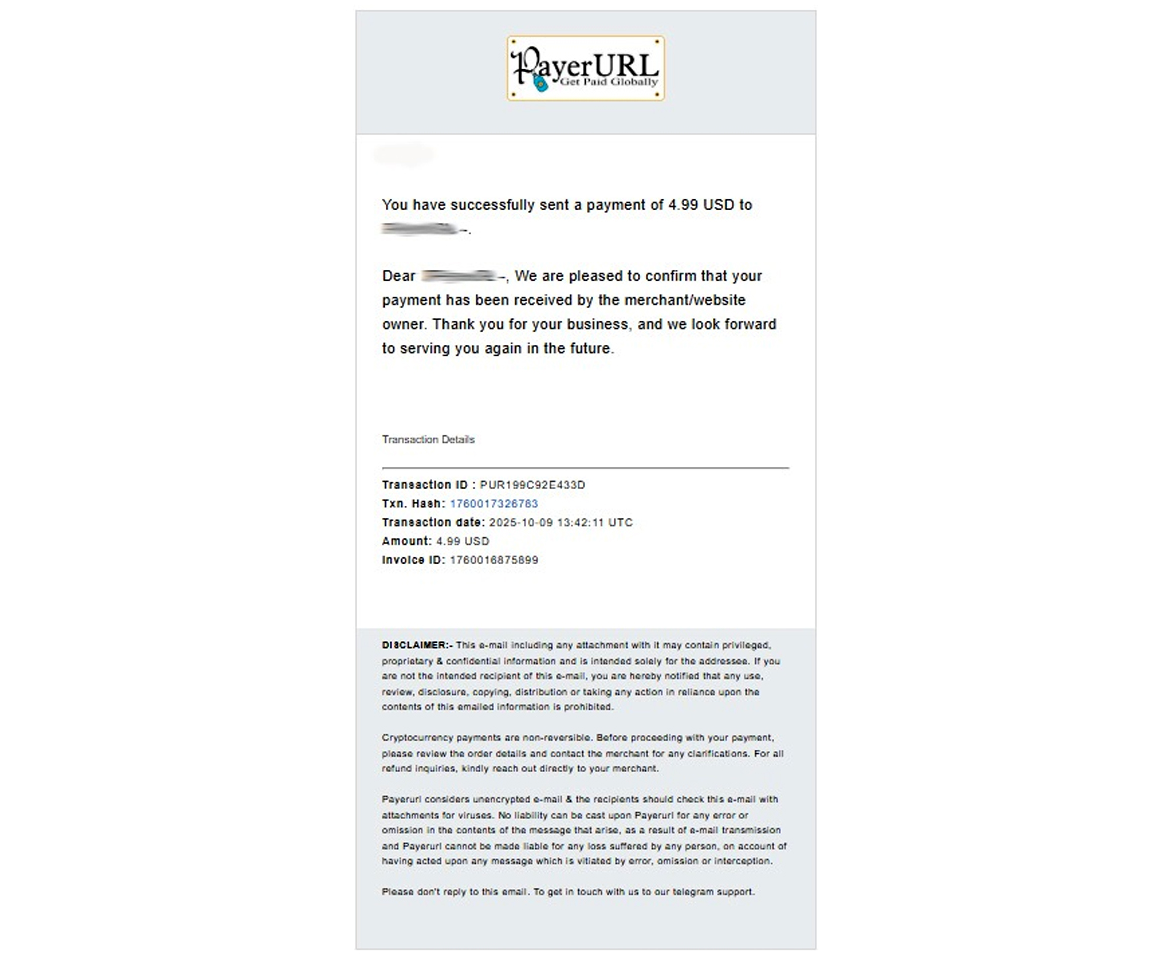
Payment confirmation email