
ABC crypto checkout woocommerce plugin integration process

ABC Crypto Checkout Payerurl woocommerce plugin
ABC Crypto checkout plugin is powered by Payerurl. For online payments, The ABC plugin converts any Fiat currency to crypto coin with a live exchange rate to pay the user online. With the ABC Crypto Checkout feature, you can also accept payments via Binance QR codes and receive crypto payments through the Binance personal account . Once payment is complete; money instantly credits to the merchant’s account and also provides a response to the merchant store/website payment information through API for the change Order status to “processing”
Plugin URL: ABC Crypto Checkout – WordPress plugin | WordPress.org
Easy Integration and Setup of Abc Crypto Checkout Plugin Installation Process video:
Easy Integration and Setup of Abc Crypto Checkout ( Installation Process Guide)
Installation Process:
- Install the Plugin:
- Log in to your WordPress admin panel.
- Go to the Plugins menu and search for “ABC Crypto Checkout.”
- Click Install and then Activate.
- Create a Payerurl Account:
- Visit the Payerurl Dashboard.
- Click on Sign Up and fill in your details to create an account.
- Get API Credentials:
- In the Payerurl Dashboard, click on Get API Credentials.
- Select Generate New API Keys to get your unique API public and secret keys.
- Configure WooCommerce Settings:
- Go to your WordPress admin panel.
- Navigate to WooCommerce » Settings » Payments.
- Enable the ABC Plugin.
- Paste your API public and secret keys, then click Test Credentials. You should see a notification “both API key and secret key found”
- Add Your Wallet:
- In the Payerurl Dashboard, go to Add Wallet.
- Enter your receiving wallet address if you want the premium subscription plan.
- Set Up Binance Payments (Optional):
- If you want to accept Binance QR payments, set up your Binance API.
How It Works:
- Customer Order:
- A customer places an order on your website and chooses the ABC Crypto Checkout payment option.
- Payment Process:
- The customer selects their preferred payment network and coin.
- A QR code appears on their screen, containing the payment invoice and details.
- Completing the Payment:
- The customer scans the QR code or copies the address to make the payment.
- Payerurl.com approves the transaction after blockchain confirmation.
- Confirmation:
- The customer sees a confirmation screen with a receipt, including a unique transaction ID.
- A note about the payment will be added to the order details page on your website.
- Notifications:
- Both the merchant and customer receive email notifications with payment details.
- The crypto amount is deposited to the merchant’s account (for basic users) or directly to the merchant’s wallet.
- Customer Order:
- If you want to accept Binance QR payments, set up your Binance API.
Installation Process related screenshots
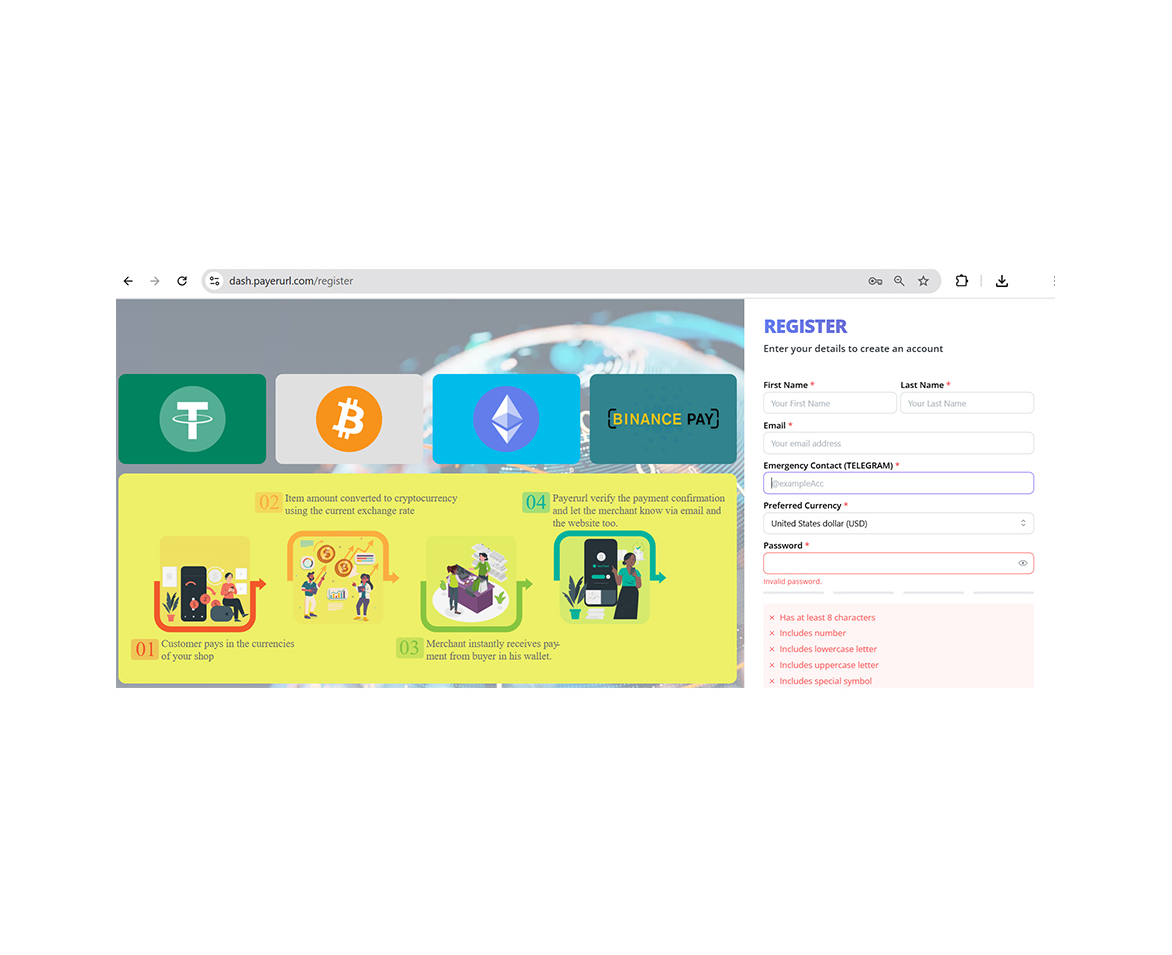
register
Please visit dash.payerurl.com to complete your registration.
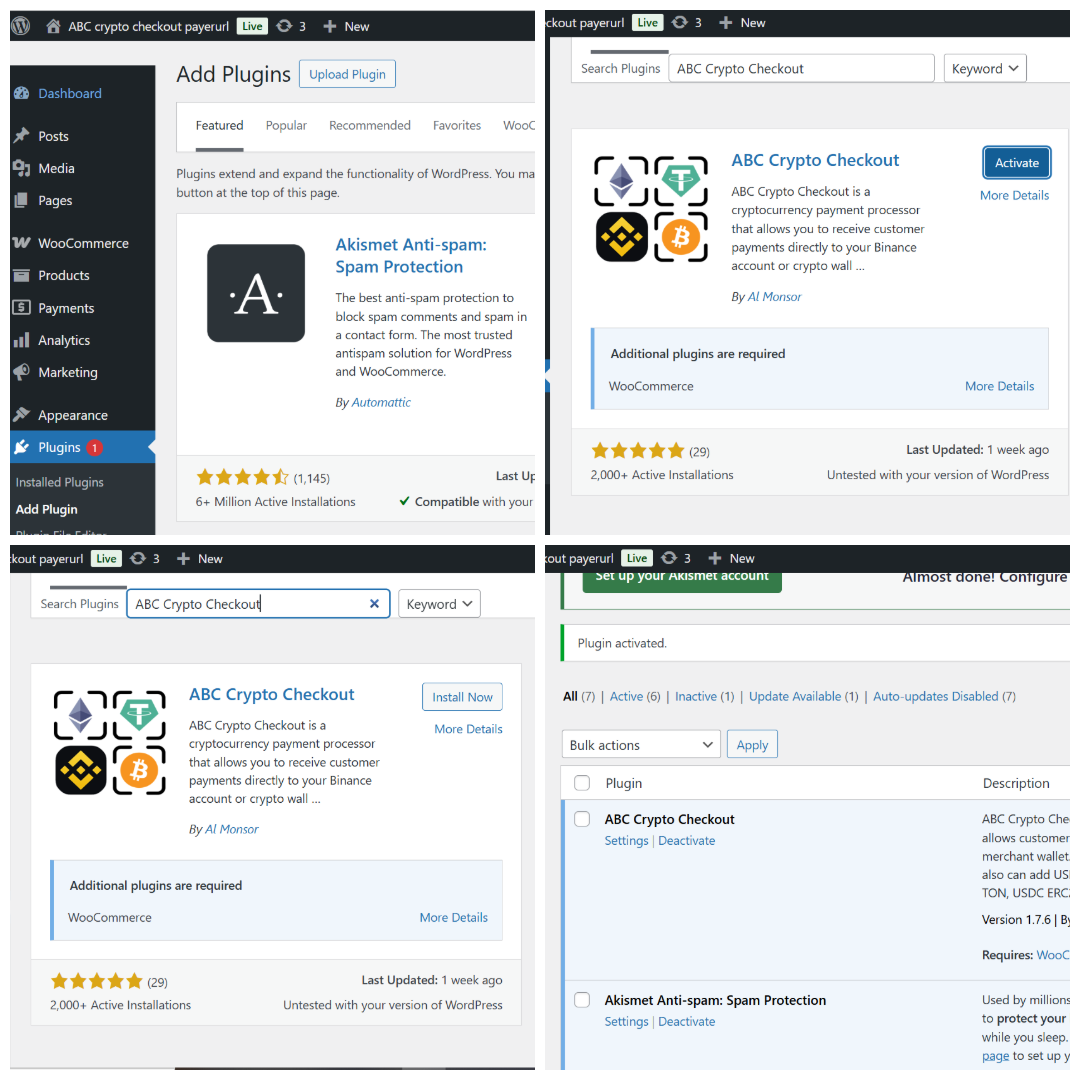
ABC Crypto Checkout
install ABC Crypto Checkout
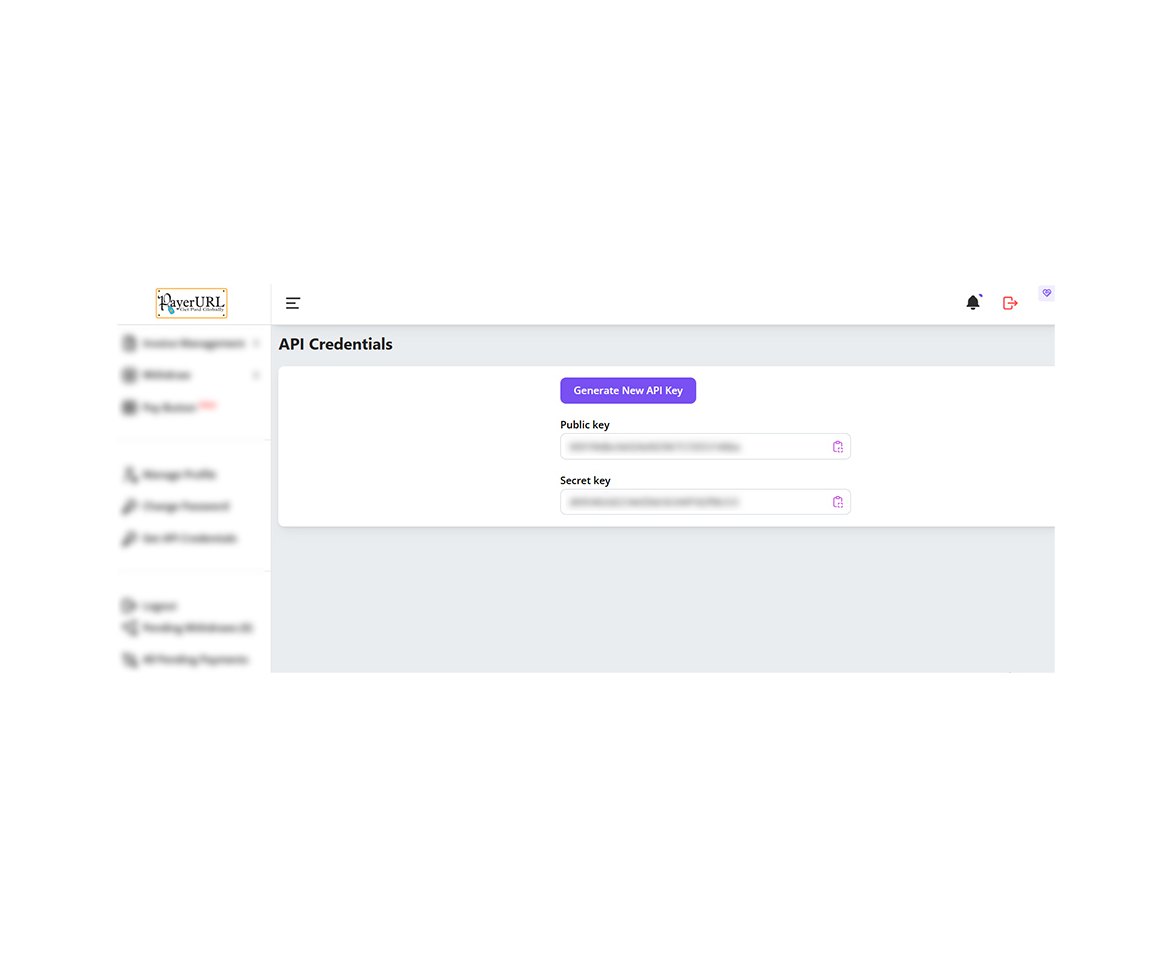
Generate API
Generate your API keys and link them to ABC Crypto Checkout and PayerURL to start accepting payments.
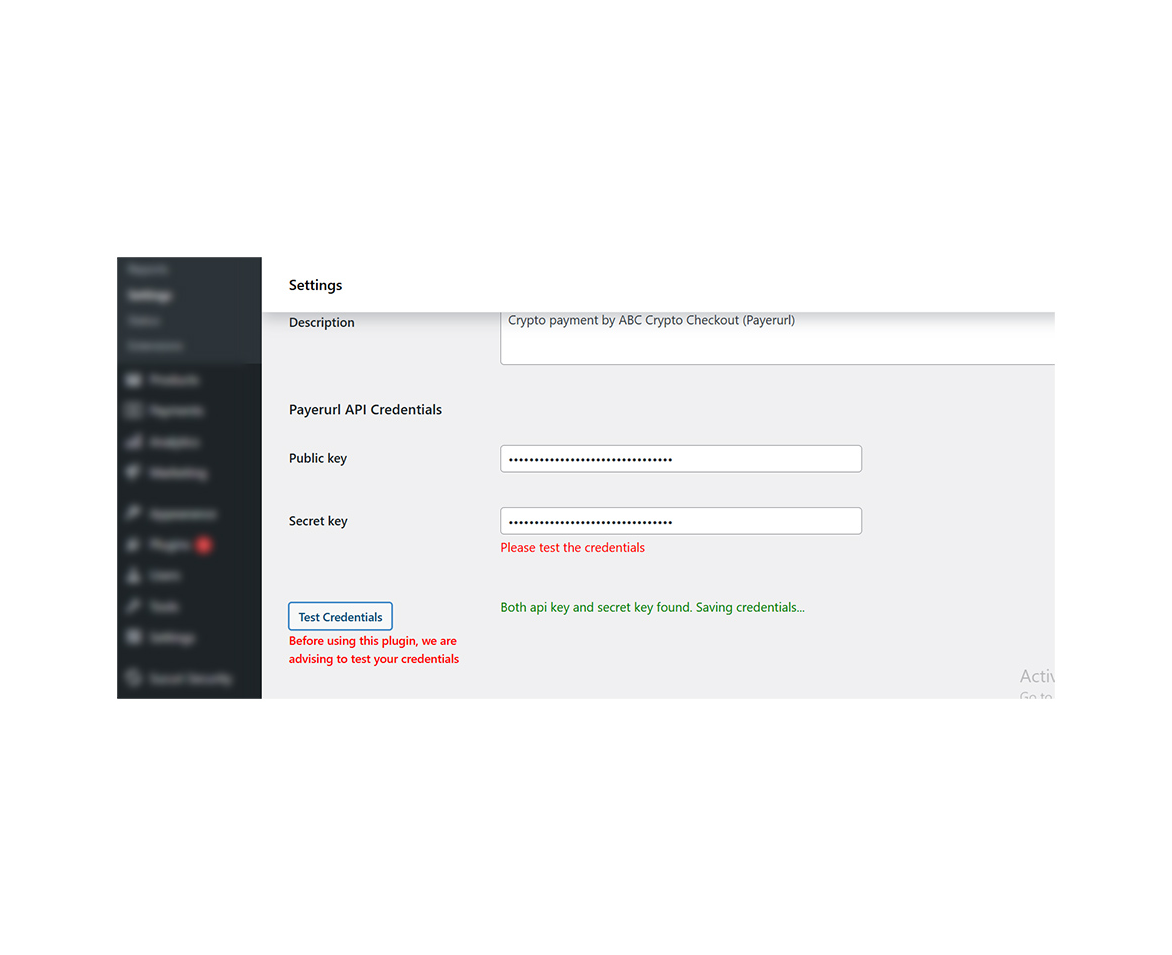
Paste API keys
Paste the API keys you generated on payerurl.com into your plugin settings: WooCommerce -> Settings -> Payments -> Manage -> Payerurl API Credentials. Then click Test credentials. If everything is correct, you'l see a green message: "Both API key and secret key found. Saving credential..
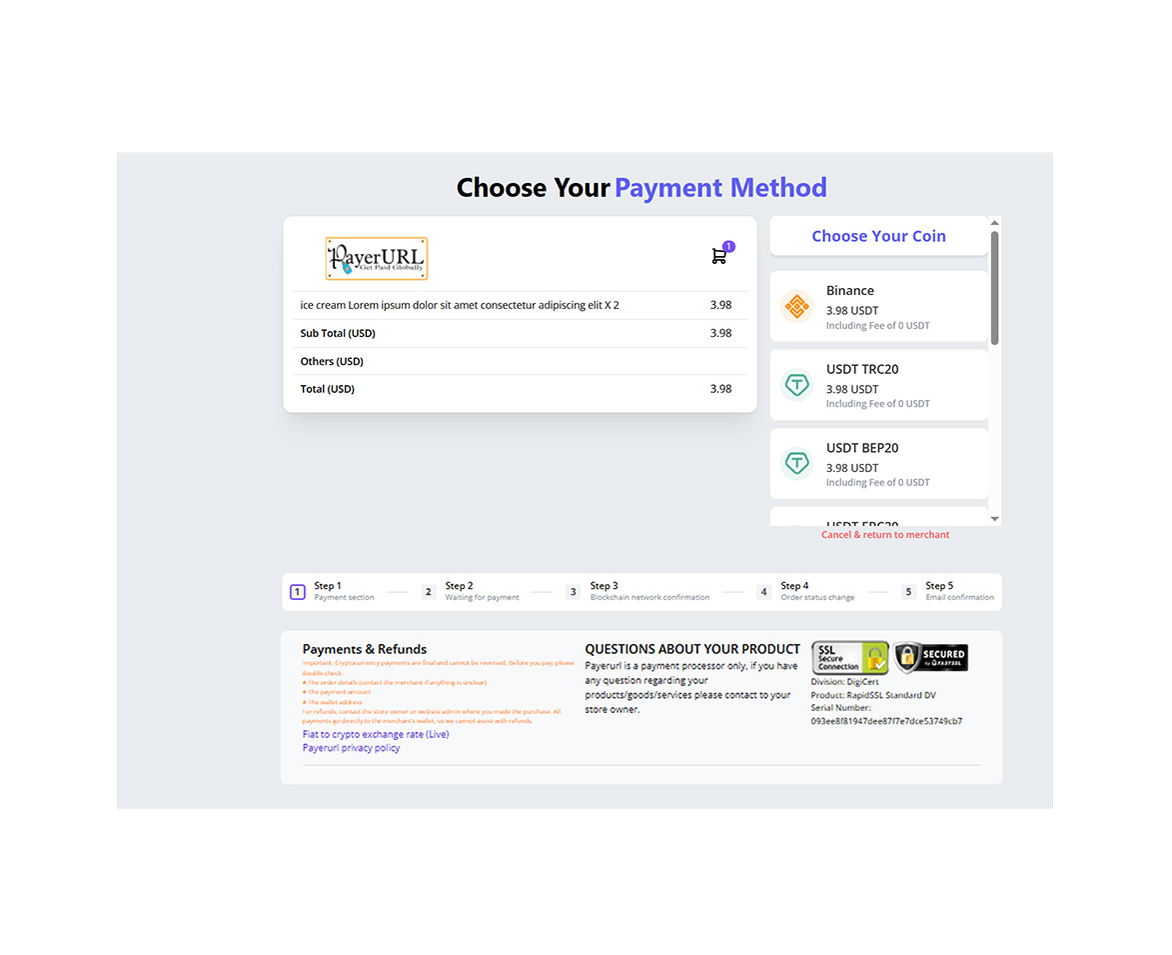
checkout page
After you add your receiving wallet and correctly set up vour Binance user account
API, the payment page will appear on your product checkout payment request.
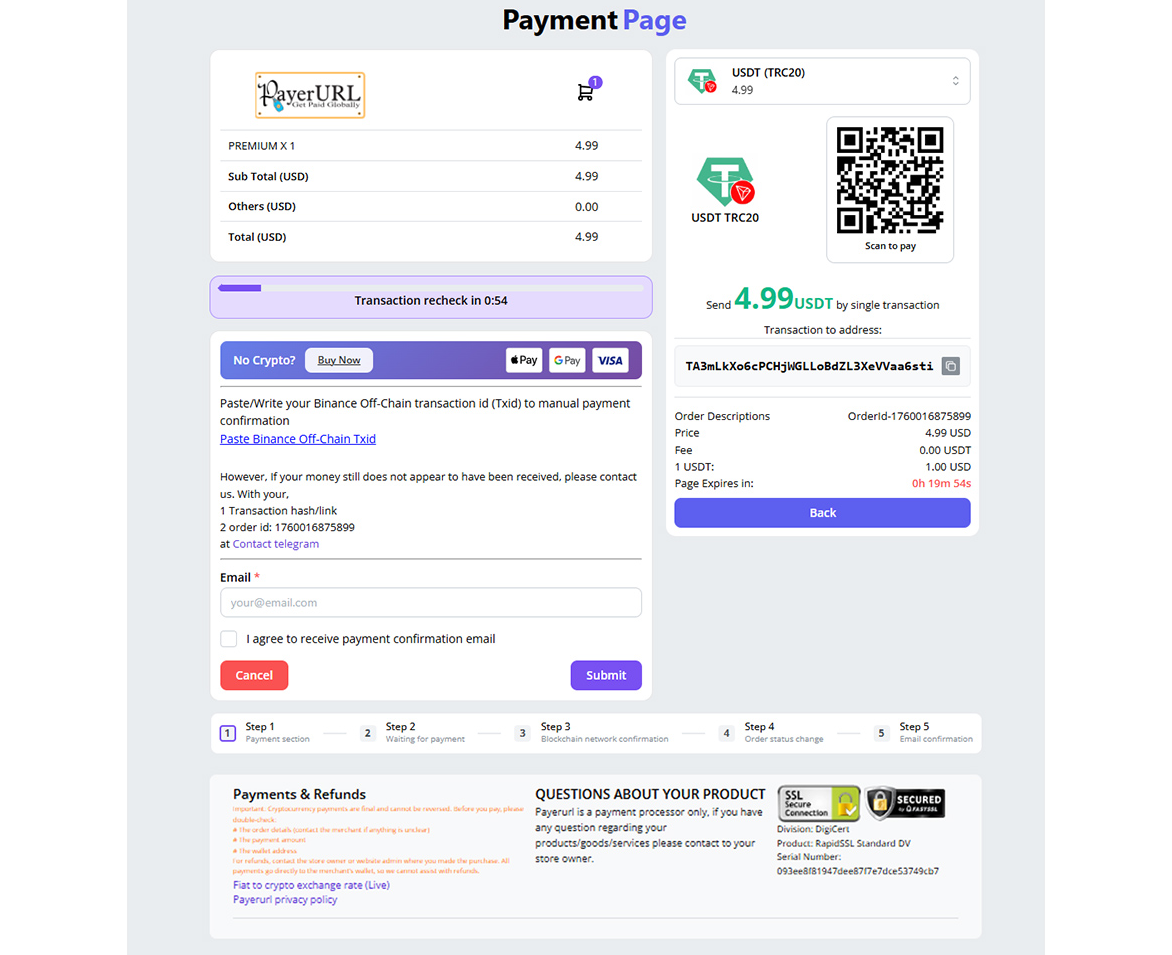
payment page
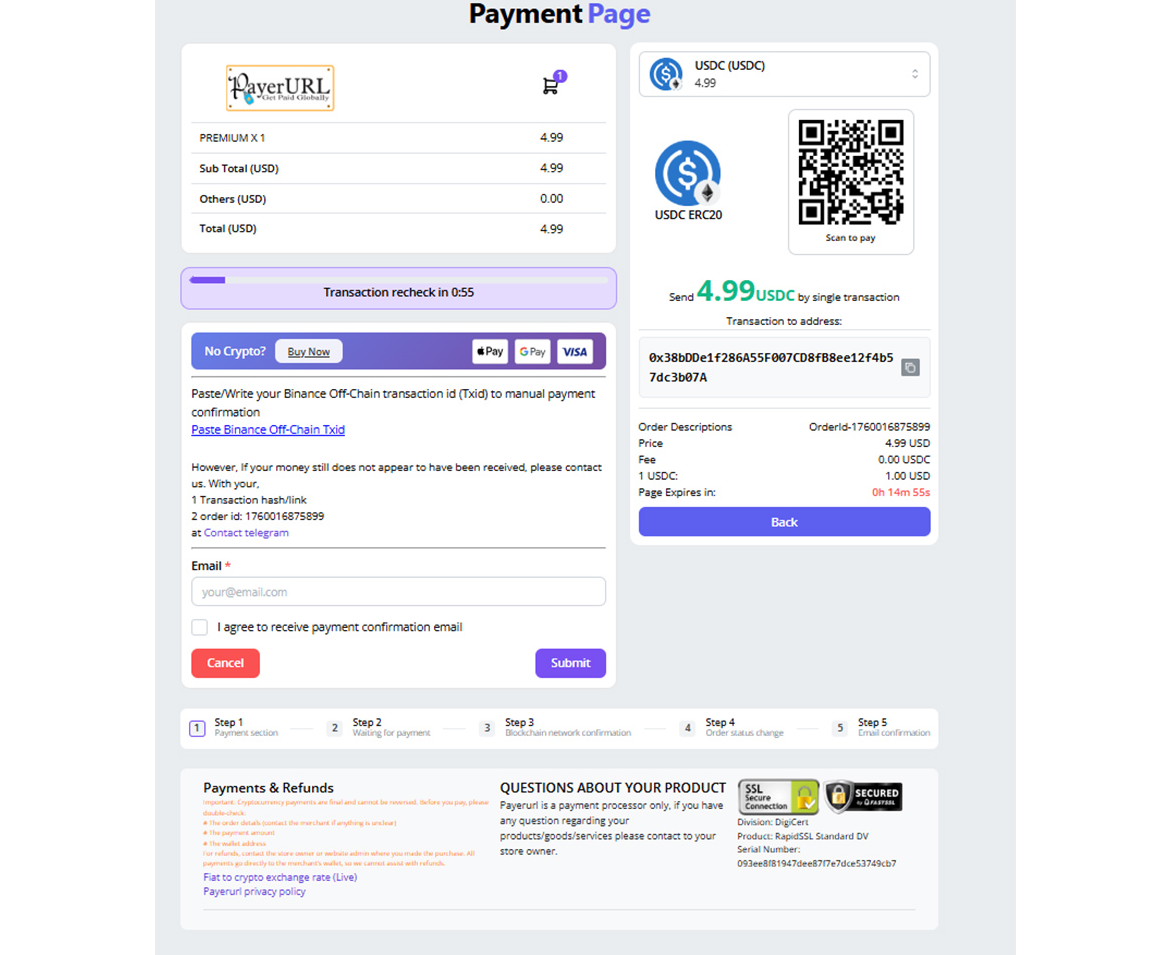
payment page
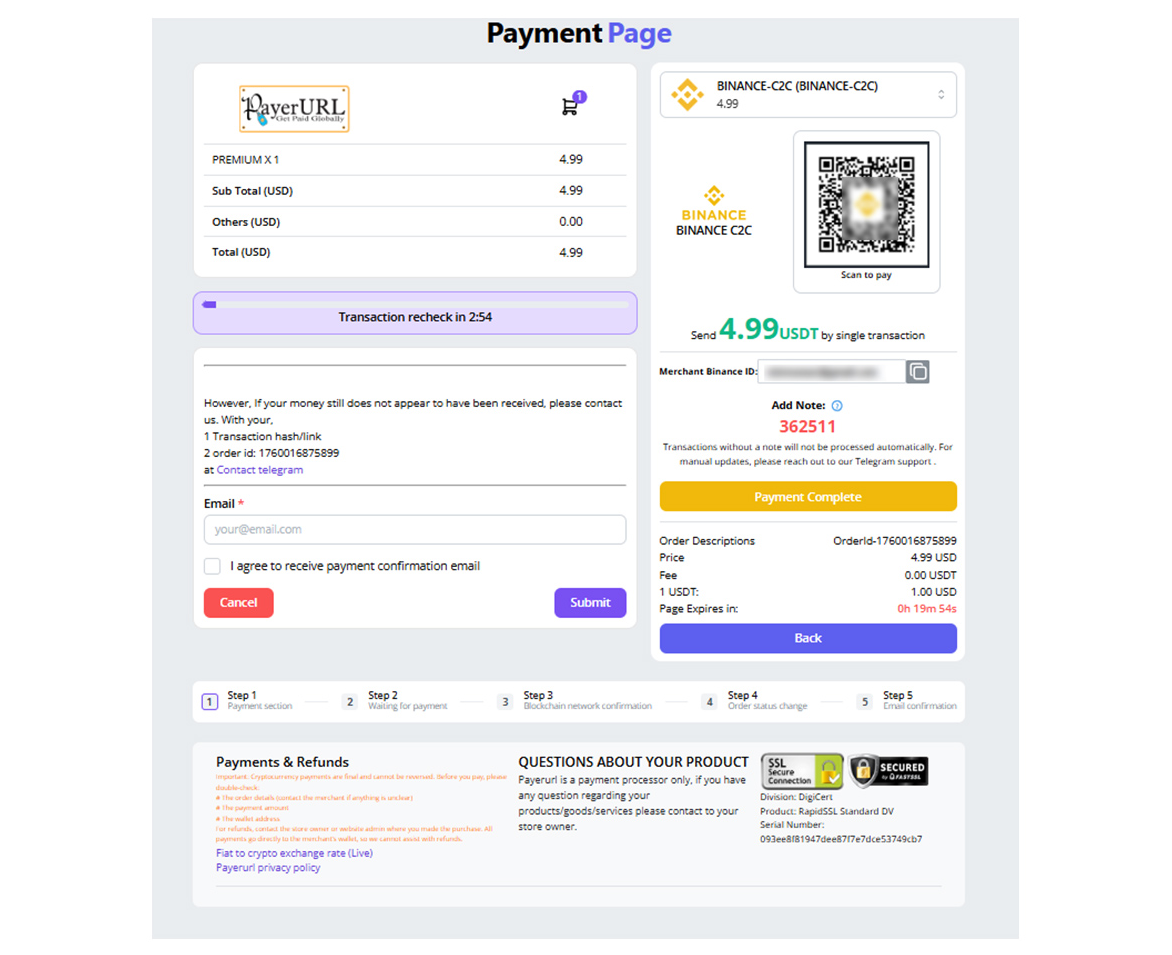
Binance payment page
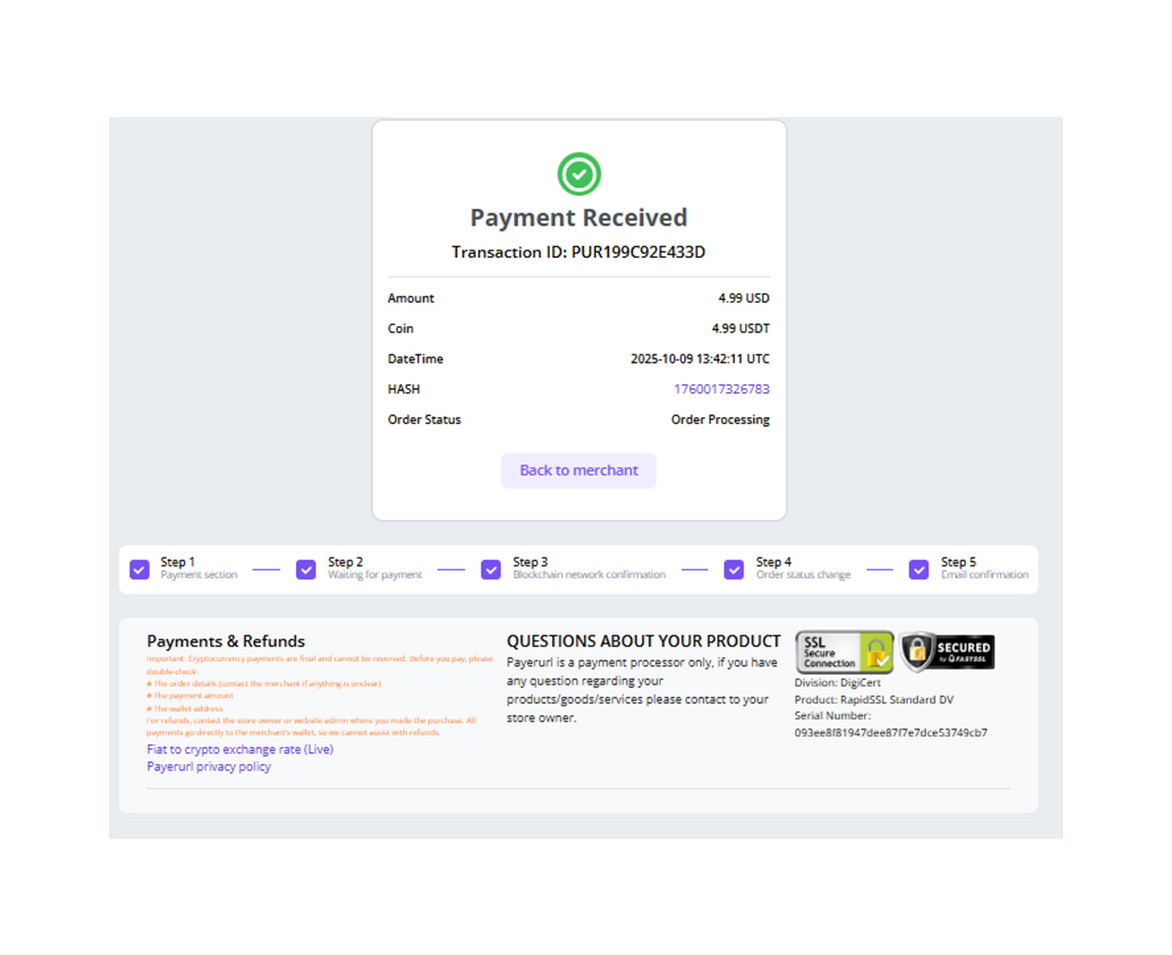
Payment confirmation
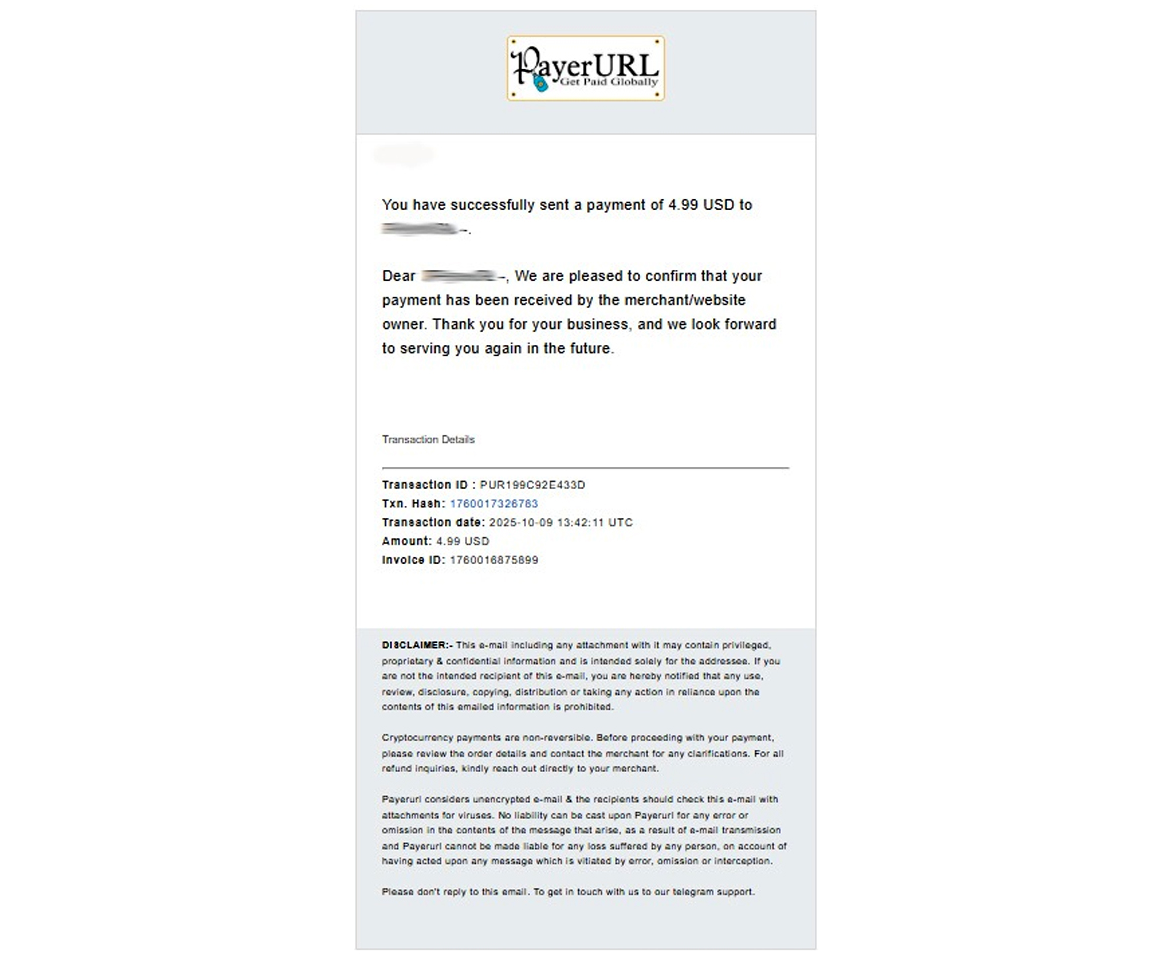
Payment confirmation email
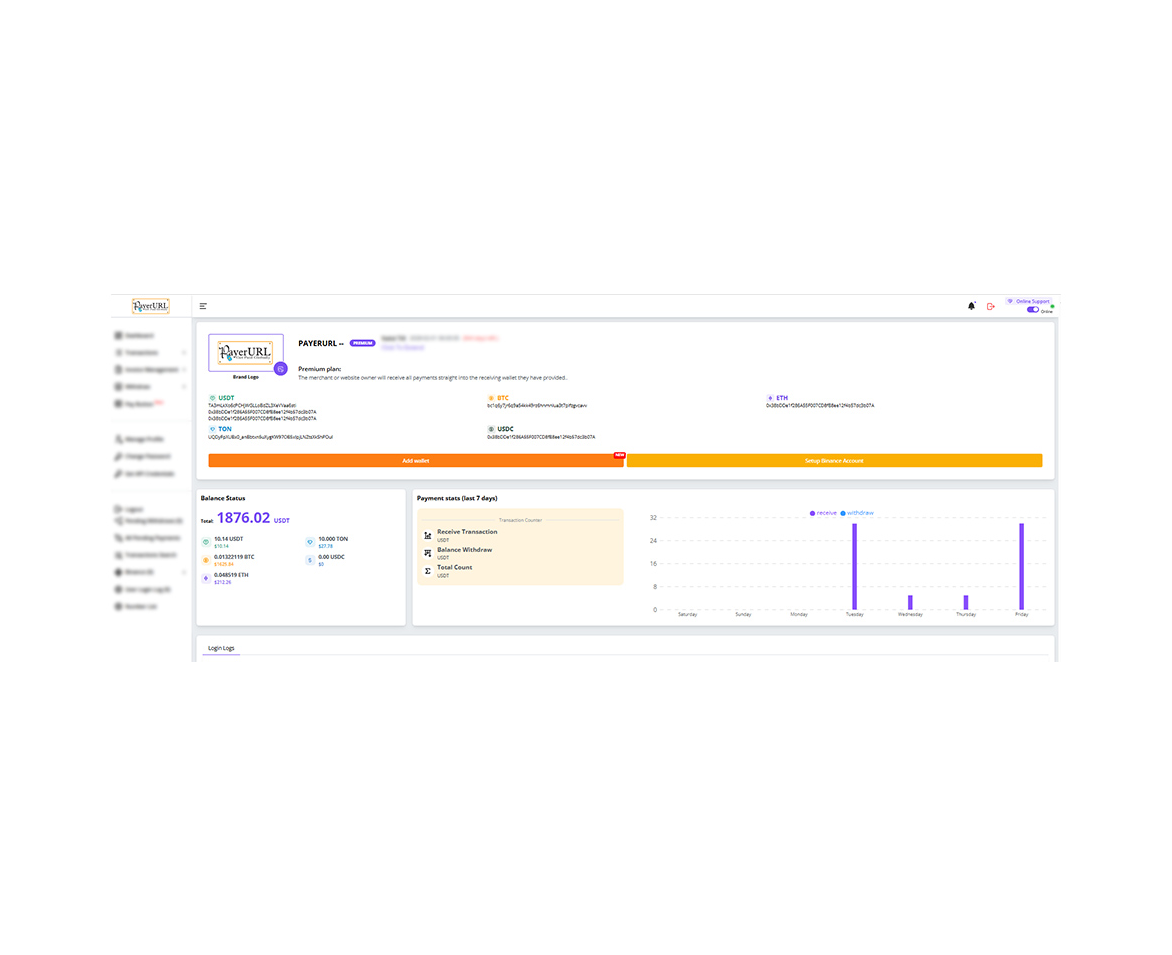
dashboard